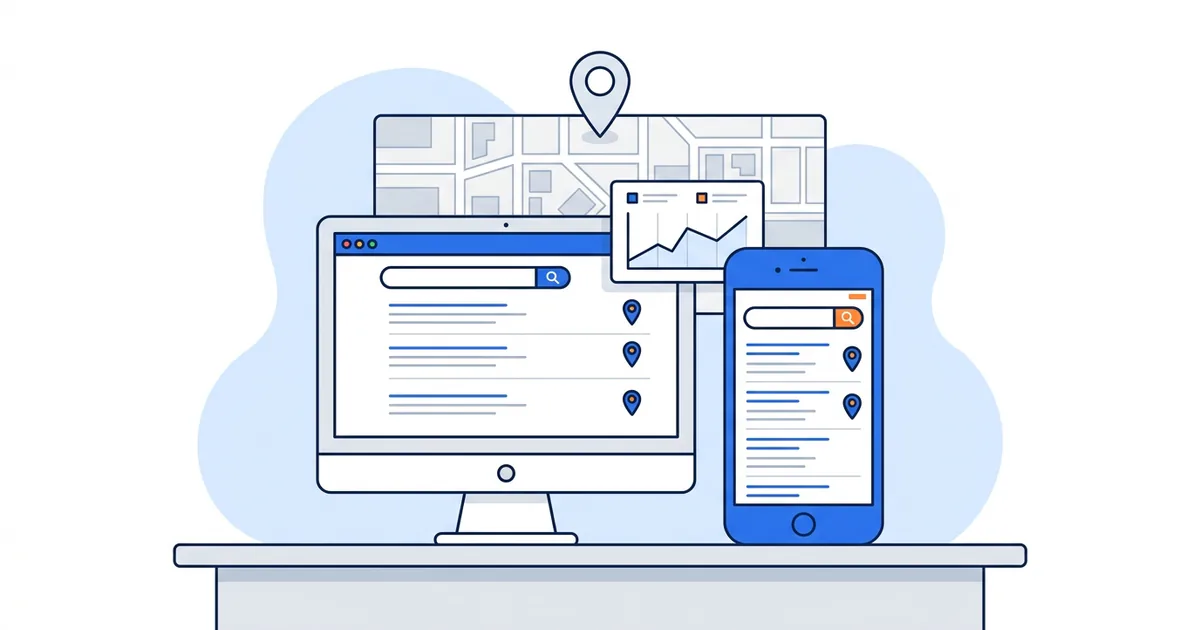
Mobile rank tracking means checking where your website and your business appear when someone searches Google on a phone. For a local business that is two separate measurements: the organic results, which you track by device from the city your customers search in, and the local pack and Google Maps results, which you track by location, point by point, because a phone tells Google where it is down to the street.
What you'll learn
- Why the same keyword ranks differently on a phone and on a laptop
- The three mobile results a local business should track, and what decides each one
- Five free ways to check mobile rankings, and where each one falls short
- How to set up ongoing mobile tracking in five steps
- What GTrack tracks on its free plan and what needs a paid plan
Most mobile rank tracking guides stop at the first half: switch your tracker to "smartphone" and compare the numbers. That works for an online store or a blog. It misses the result a plumber, dentist or restaurant cares about most, the map pack that sits above the organic links on a phone and changes from one block to the next.
Why mobile and desktop rankings differ
Google indexes one version of your page, then builds two different results pages
Google says it "uses the mobile version of a site's content, crawled with the smartphone agent, for indexing and ranking" (mobile-first indexing). Your desktop ranking comes from the mobile version too. If the mobile page hides text, reviews or internal links that the desktop page shows, Google ranks the thinner version on both devices, and its guidance is to give the mobile site "the same content as your desktop site".
So both devices draw on one index. The results page Google builds differs by device. A phone screen has room for one column, and ads, an AI Overview, the local pack, "People also ask" and video results all stack in it before the first blue link. A rank tracker that reports "position 3" counts the organic results; on a phone, position 3 can sit two or three screens down.
A phone tells Google where you are
Google's help page on location lists the signals it uses: "Many devices, like phones, computers, watches, or wearable devices, can work out their precise location", while IP addresses are only "roughly based on geography" (Google Search Help). A phone with location on gives Google a point on the map. A laptop on office Wi-Fi often gives it a neighborhood or a city.
For a query with local intent, that precision changes the result. Google ranks local results on relevance, distance and prominence, and defines distance as "how far each business is from the customer who's searching" (How Google determines local ranking). The more exactly Google knows where the searcher stands, the more the result depends on it. Our post on how Google Maps ranking changes by location walks through what that looks like across a town.
Time, history and the person holding the phone
Search Console's own help page puts it in one line: "Search results are specific to the time, place, device, and recent history of the person searching" (Performance report help). When you search on your own phone you are signed in, you have visited your own site a hundred times, and you are standing at your business address, so you see your best case.
The three mobile results a local business should track
Ask "what is my mobile ranking?" and you get three answers, each decided by different inputs:
| Result | Where the searcher sees it | What moves it most | How to track it |
|---|---|---|---|
| Organic results (blue links) | Google Search on a phone browser or the Google app | Your page, the device layout, the city | An organic rank tracker set to mobile and to your city or coordinates |
| Local pack | The map block with three businesses inside Google Search | Your Business Profile, the searcher's exact location | A local pack scan from several GPS points around you |
| Google Maps | The Maps app or the "More places" list | Your Business Profile, the searcher's location, the map area on screen | A geo-grid scan that reads your Maps rank at each pin |
An ecommerce site can live with the first row. A business that serves customers in person needs all three, and the second and third rows have nothing to do with a device toggle. They depend on where the search happens, so a "mobile" setting in an organic tracker, on its own, tells a local business little about the results its customers tap.
If the difference between the pack and the Maps list is new to you, our guide to the Google Maps and local pack covers both.
Five free ways to check mobile rankings
Spot checks cost nothing and answer one question: what does the page look like right now, from one place, on one device. Use them to verify a tracker or to settle an argument with a client. Do not rely on them for tracking.
1. Search on your own phone, the right way
Open a private tab in your phone browser, sign out of Google, and search the keyword the way a customer would type it. Scroll and count where your business and your site appear. Then do it again from somewhere your customers are, not from your desk. The result still carries your location and the time of day, so treat it as one sample.
2. Chrome's device toolbar plus a location link
On a computer, open Chrome DevTools and toggle the device toolbar (Ctrl+Shift+M on Windows, Cmd+Shift+M on a Mac), pick a phone, and reload Google. You get the mobile results page in a desktop window. To set the city, build the search link with Wiremo's free Google UULE generator, which encodes a location into a google.com search URL (the first 3 links a day need no email). Device toolbar plus UULE link shows you the mobile page from another city without leaving your chair.
For a point more precise than a city, GTrack's help center describes a geolocation spoofing extension for Chrome that applies exact GPS coordinates, used in Incognito to cut personalization.
3. Search Console's Devices tab
In the Performance report, filter to one query or one page, then open the Devices tab to see mobile and desktop side by side. It is the only free source built from the searches Google recorded for your site. Two limits matter: the position is "the average position of the topmost result from your site", and it averages every location your searchers were in. A business that ranks 2nd near the shop and 19th across town can show up as 8th. It also says nothing about your Business Profile in the map pack.
4. A free checker with a device switch
Seobility's free ranking check lets you "change the country and platform settings (desktop or mobile)" and "choose a city to get localized results", and shows the top 20. Seobility's free Basic plan allows 5 checks a day. Our best free rank trackers post lists the others and what their free tier allows.
5. A free Google Maps grid scan
For the Maps side, run a grid scan. The GTrack Google Maps rank tracker runs your first scan with no account: pick your business, enter a keyword, and read your rank at every pin. The $0 plan after that gives you 200 credits a month, grids up to 5x5 and one tracked competitor. One credit is one grid point for one keyword, so a 5x5 scan uses 25 credits and the free allowance covers eight of them a month.
How the approaches compare
| Approach | Organic, by device | Local pack and Maps, by location | History | Cost |
|---|---|---|---|---|
| Your own phone | Yes, from where you stand | One point only | No | Free |
| Chrome device toolbar + UULE link or GPS spoofing | Yes, any city | One point per check | No | Free |
| Search Console | Average across all searchers | No | 16 months | Free |
| Organic rank tracker with a device setting | Yes, scheduled | At most the pack from one city point | Yes | Mostly paid |
| Google Maps geo-grid tracker | No | Yes, a rank at every pin | Yes | Free tiers exist; paid for big grids |
Organic trackers with a device setting cover the first column. Ahrefs, for example, shows mobile positions and mobile SERP features in Rank Tracker on all of its plans (Ahrefs help). They differ on location: some take a country, some a city or ZIP code, a few take coordinates. Our post on geo location rank tracking compares city, ZIP code and GPS grid tracking and where each one misleads.
How to set up mobile rank tracking in five steps
- Sort your keywords by intent. Put queries with local intent ("emergency plumber", "dentist near me", "dentist in Austin") in one list and research or brand queries in another. The local list needs both organic and Maps tracking. The research list needs organic tracking only.
- Track organic positions on mobile, from your customers' city. Add each keyword with the device set to mobile and the location set to the city, or better the coordinates, where most of your customers search. Add a desktop copy only for the keywords where you want the comparison, since each device is a separate check and a separate cost on most tools.
- Track the map results from a grid. Center a grid on your business and size it to your service area. A 5x5 grid with 1 km between pins covers a square about 4 km (2.5 miles) across; a service-area business that drives 20 miles needs wider spacing or a bigger grid. Track your closest competitor on the same grid so you see whether a drop is yours alone.
- Pick a cadence you will read. Weekly suits organic positions on a small list. For Maps grids, a monthly scan of the same grid and keyword shows the trend; switch to weekly after a big change to your profile or site. Our post on how often to track Google Maps rankings explains the trade-off.
- Compare like with like. Same keyword, same location, same device, same time of day. When a client sends a screenshot from their phone, check it against the pin nearest to where they took it, not against the grid average.
When mobile rankings are lower than desktop
A gap between the two devices points to different fixes depending on what sits above you.
A local pack shows above the organic results on mobile. On a phone, the pack takes the first screen, so your organic position matters less than your place in the pack. Work on the Business Profile: categories, services, photos, posts and a steady flow of reviews. In our audit of 286 Google Business Profiles, 77 (27%) had no additional category and 105 (37%) had no live post from the 90 days before the audit. A free GBP audit shows which of those checks your own profile fails.
No pack, and the mobile position is still lower. Look at the mobile page itself. Compare what the phone version shows with the desktop version: collapsed tabs, missing reviews, a trimmed menu that drops internal links. Then check how fast it loads on a mid-range phone. Our guide to optimizing a local website for conversions covers the mobile layout side.
The Maps grid is green by your door and red a few miles out. That pattern is distance at work, and no device setting will change it. The step-by-step guide to improving Google Maps rankings covers what you can change; if the red area grew after an update, start with the ranking drop recovery checklist.
What GTrack tracks on mobile, and what needs a paid plan
GTrack covers both halves, with different tools for each. Every detail below comes from the GTrack help center and the pricing table on the product page.
Maps scans: rank by location, on every plan
A Maps scan places a grid of GPS pins around your business and records your Google Maps rank at each one. You set the grid size, the spacing between pins and, on the Advanced plan and above, the zoom level and language; scans run at zoom 13 by default. The help center lists no mobile or desktop setting for Maps scans, so read a grid as a measurement of location: the input that changes most from one mobile searcher to the next. Maps scans, scheduled scans (3 keywords on Free) and one tracked competitor all work on the $0 plan.
Local Pack scans: the map block in Google Search, paid plans
A Local Pack scan checks your position in the three-business pack inside Google Search at each grid point. It is available on paid plans and uses double credits, for example 162 credits for an 81-point grid, because it collects the extra pack data (help article).
SERP Tracker: organic rankings by device, paid plans
The SERP Tracker is GTrack's organic keyword tracker. When you add a keyword you set the device to Mobile, Desktop or Both, where Both adds two separate entries, and you give each keyword a location with coordinates (SERP Tracker FAQ). You can also link a Google Search Console property to a campaign, so the same screen shows GTrack's own rank checks next to the queries Google recorded. Runs go daily, weekly or monthly, search 1, 5 or 10 pages deep, and the keyword view keeps the full results page from the last run so you can see what sat above you.
SERP Tracker credits work out as keywords times pages searched, on every run. Ten keywords on mobile only, one page deep, checked weekly, use about 43 credits a month. Track the same ten on Both and you need about 86, more than the Starter plan's 50. The default search depth is 5 pages, so set Max SERP Pages to 1 first if you only care about page one: at 5 pages, ten keywords use 50 credits in a single run.
| Plan | Price | Maps scan credits a month | SERP Tracker (organic, mobile or desktop) |
|---|---|---|---|
| Free | $0 | 200, grids up to 5x5 | Not included |
| Starter | $19.99/mo | 5,000 | 1 campaign, 50 credits a month |
| Advanced | $29.99/mo | 15,000 | 3 campaigns, 100 credits a month |
| Business | $59.99/mo | 36,000 | 10 campaigns, 200 credits a month |
| Pro | $99.99/mo | 81,000 | 20 campaigns, 300 credits a month |
Paid grids go up to 1,000 pins, and paid plans carry a 30-day money-back guarantee.
Start with the free part
Free: your first Google Maps grid scan with no account, then the $0 plan with 200 credits a month, 5x5 grids, one competitor and scheduled scans for 3 keywords.
Paid plans: organic tracking by device in the SERP Tracker, Local Pack scans, larger grids and Draw Mode.
Frequently Asked Questions
What is mobile rank tracking?
Mobile rank tracking is recording where your pages and your business appear in Google results on a smartphone, over time. For organic results that means a tracker that requests the mobile results page from a set location. For the local pack and Google Maps it means checking from several GPS points, because a phone gives Google its exact position.
Why are my mobile rankings different from desktop?
Google indexes the mobile version of your page for both devices, but it builds a different results page for each. On a phone, ads, the local pack, an AI Overview and other features stack above the organic links, and the phone reports a precise location while a desktop often reports only an IP-based area. Local results shift the most because distance from the searcher is one of Google's three local ranking factors.
Can I track mobile rankings for free?
You can check them for free: Search Console's Devices tab, Chrome's device toolbar with a location link, and free checkers such as Seobility, whose free Basic plan allows 5 mobile or desktop checks a day. For Google Maps, GTrack runs your first grid scan without an account and its $0 plan includes 200 credits a month. Scheduled organic tracking by device usually needs a paid tool; in GTrack it is the SERP Tracker, from the Starter plan.
Does Google Search Console show mobile rankings?
Yes. Open the Performance report, filter to a query or a page, and use the Devices tab to compare mobile with desktop. The figure is the average position of your topmost result across every searcher's location, so it cannot show where in town you rank, and it does not cover your Business Profile in the map pack.
Does a Google Maps rank tracker show mobile results?
A geo-grid tracker measures your Maps rank by location, which is the input that changes most between mobile searchers. GTrack's help center documents grid size, spacing, zoom and language for Maps scans, with no separate device setting. To track organic results on a phone, use a tracker with a device option, such as GTrack's SERP Tracker on paid plans.