Blog

Insights and tips for the review community

Home / Blog

Track Google Maps Ranking schedule comparison: daily, weekly, and monthly tiers ranked by detection lag, signal quality, and best-fit use case, with weekly marked recommended.
blogOctavian Ciorici

How Often Should You Track Your Google Maps Ranking?

Track Google Maps Ranking too often, and every random Google refresh looks like an emergency. Track it too rarely and a real ranking collapse hides for ten weeks before anyone notices. Both errors cost you the same thing: the ability to read your own data.

Most local businesses fall on one side or the other of that window, and neither side is recoverable without a deliberate timing choice. The right answer sits inside a narrow band that changes with your industry, your competitive density, and the kind of question you are trying to answer with the data. This guide settles the frequency debate in three head-to-head match-ups so you can pick a schedule and stop second-guessing it.

TL;DR – What you'll learn:

  • The three variables that decide your real rank tracking frequency (not what the tool defaults say).
  • When daily scans pay for themselves, and when they only burn credits.
  • Why weekly is the steady schedule most local businesses actually need.
  • How to pair a slow trend schedule with fast spot-check scans when something looks off.
  • A decision matrix you can apply to your own business in under five minutes.

Read more →

Multi-location rank tracker dashboard showing store rankings, map pins, weak markets, and SEO performance across multiple business locations
blogOctavian Ciorici

How to Track Google Maps Rankings for Multi-Location Businesses

A multi-location rank tracker has one job. Tell a brand operator, at any time, where each store actually shows up on Google Maps and which markets need attention this week. The job sounds simple. Most multi-location teams still try to do it with screenshots, hand-built spreadsheets, or one rank tracker bought per store. None of those approaches scales past about five locations.

TL;DR – What you'll learn:

  • What a real multi-location rank tracker actually tracks across stores
  • How to set up a per-location grid without drowning the team
  • How to roll up location KPIs to the brand level without losing detail
  • How to spot weak markets and compare locations side by side
  • The daily, weekly, and monthly reporting cadence that ops teams use
  • The mistakes that quietly cost chains and franchises their ranking ground

Read more →

How to manage Google reviews dashboard concept showing a 4.9-star trust badge, three stacked customer review cards with reply status, and the ask-reply-track-learn-grow workflow loop
blogAdrian Crismaru

How to Manage Google Reviews: Turn Customer Feedback Into Real Business Growth

Learning how to manage Google reviews is not about chasing stars. It is about building trust at the precise moment a potential customer is deciding whether to call you, visit you, book you, or scroll past you, and that decision now happens almost entirely inside the Google Maps pack, before anyone clicks through to your website.

TL;DR – What you'll learn:

  • How to manage Google reviews end-to-end, not just reply with "Thank you"
  • Why Google reviews influence local SEO and local-pack rankings
  • A 7-step workflow that works for a solo business and for an agency with 50 locations
  • How to reply to negative reviews without making them worse
  • The 6 risky review practices that quietly damage trust
  • The metrics that matter beyond star count, and what good Google review management software should report

Read more →

Google Maps ranking drop infographic showing local SEO recovery timeline and ranking recovery chart
blogOctavian Ciorici

Google Maps Ranking Drop: Why Your Position Crashed (And How to Recover)

A Google Maps ranking drop is one of the most stressful things a local business owner can wake up to. One day, you are in the local pack, taking calls. The next day, you are on page 2, and your phone is quiet. The panic instinct is to change everything at once. That is exactly the move that turns a recoverable two-week dip into a six-month slide. The right response is the opposite: slow down, run three diagnostic checks, then act on the one thing that actually moved.

TL;DR – What you'll learn:

  • How to tell a real Google Maps ranking drop from normal day-to-day noise.
  • The 6 most common causes of a sudden drop, and how to recognise each one.
  • How to tell a Google algorithm update from a profile-side problem in 5 minutes.
  • The right waiting period before you change anything (and why acting fast often makes things worse).
  • A 4-step recovery plan matched to the cause, with realistic timelines.

Read more →

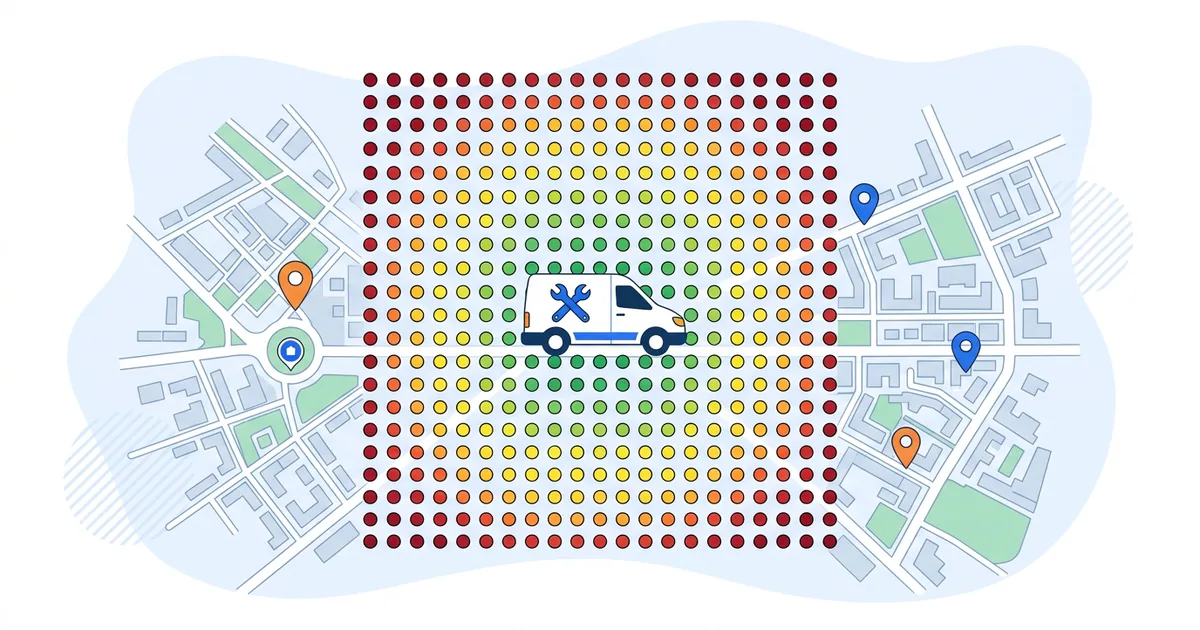
Google Maps heatmap showing a Bullseye pattern: green #1 ranking centre, yellow #6-15 middle ring, red #20+ outer edges.
blogOctavian Ciorici

How to Read Your Google Maps Heatmap (Spot The Weak Zones)

A Google Maps heatmap shows you the same business search from many points across a city or town. Each point is a small scan. The color of each point shows where you rank from that exact spot. Most rank trackers stop there: they hand you a grid of dots and walk away. The hard part is reading the grid. The dots only matter when you can see the pattern they make.

TL;DR – What you'll learn:

  • What the green, yellow, and red dots on your Google Maps heatmap actually mean.
  • The 5 grid patterns that explain almost every heatmap you will ever see.
  • The one main cause and one main fix for each pattern.
  • How to act on a weak zone without chasing single-dot noise.
  • How often to re-scan, and what counts as a real change vs random variance.

Read more →

Track Google Maps rankings accurately: 5 mistakes that skew your ranking data — noisy weekly scan chart with 3-scan rolling median overlay
blogOctavian Ciorici

How to Track Google Maps Rankings Accurately: 5 Mistakes That Ruin Your Data

TL;DR: What Drains Tracking Accuracy Over Time

  • GSC averages mislead: Search Console reports a blended position across all search locations, not your actual Maps rank.
  • Grid drift kills comparability: Change the grid size or centre between scans, and your "trend" is no trend at all.
  • Scan timing matters: Friday evening and Tuesday morning produce different local packs for restaurants, services, and retail.
  • Keyword set hygiene: Adding or removing tracked keywords mid-engagement invalidates the trend line.
  • Single scans are noisy: Use a 3-scan rolling median, not the latest number. Mark algorithm updates and resets the baseline.
  • Self-audit: If you can answer "yes" to all six questions in the audit at the bottom of this guide, you are tracking accurately.

To track Google Maps rankings accurately, you have to fight two things: Google's per-search personalisation and your own tracking habits. The first is structural; the second is fixable, and the difference between a tracking setup that produces decisions and one that produces noise is a small set of process choices. Read more →

Google Maps Rank Tracker for Agencies showing local SEO grid ranking improvements for multiple clients
blogOctavian Ciorici

Google Maps Rank Tracker for Agencies: Track, Manage, And Prove ROI at Scale

TL;DR: The Agency Playbook in 6 Lines

  1. Set up one workspace per client and lock the grid to the service area, not the metro.
  2. Match report cadence to retainer size: daily for crisis, weekly for reputation work, bi-weekly for new builds, monthly for steady-state.
  3. Run a clean baseline grid on day one before any optimisation. That is the "before" you will defend the retainer with later.
  4. Build a one-page client report: 3 KPIs, 2 grid screenshots, 1 next-month action. Skip everything else.
  5. Compare grids at 30, 60, and 90 days. Tile-by-tile shifts are proof that the average-position chart will never show.
  6. Use the same grid evidence to upsell GBP management work where rankings are blocked by profile problems, not ranking signals.

Read more →

How to Improve Google Maps Ranking infographic showing relevance, distance, and prominence ranking factors
blogOctavian Ciorici

How to Improve Google Maps Ranking Step by Step

TL;DR: The Short Answer in Six Lines

  • Three signals decide every Maps ranking: Relevance, Distance, and Prominence. Two are levers, one is fixed.
  • Profile completeness is the cheapest gain: primary category, services, attributes, Q&A, photos, in that order.
  • Velocity beats volume on reviews: 8 to 12 fresh reviews per month, every one replied to within 24 hours.
  • NAP consistency is non-optional: identical name, address, phone across your top 30 directories.
  • On-page work sets the ceiling: city plus service in the H1, a service page per offering, LocalBusiness schema.
  • Measure on 30-day cycles: the local pack moves in two to four-week waves. Weekly scans are noise.

How to Improve Google Maps Ranking is the question every local business owner ends up asking the moment they realise their competitor is sitting in the local pack and they are not. The honest answer is that Maps ranking is not magic and it is not luck. It is a public scoring system Google has documented for years, and every gain you can make comes from understanding what the system actually reads. This guide is structured as the questions owners ask, in the order they ask them, with the direct answer to each one. Read it top to bottom on a Sunday afternoon, and you will leave with a 30-day plan you can run on Monday. Read more →

Google Maps Grid Rank Tracker Hero showing a GTrack geo-grid scan with local business rankings across Dublin
blogOctavian Ciorici

What Is a Google Maps Grid Rank Tracker And How Does It Work?

TL;DR: What a Google Maps Grid Rank Tracker Does in 30 Seconds

  • What it is: A local SEO tool that runs the same keyword from many simulated locations across a geographic grid, then maps each result as a colored heatmap point.
  • Why it matters: Google Maps rankings change by physical location. Standard tools report one blended average that hides where you actually win and lose.
  • How it works: 25 to 49 simulated searches per keyword, each from a different latitude/longitude, returning your local pack position from each spot.
  • What you get: A heatmap with green (top 3), yellow (4-10), and red (11+) showing exactly where in your service area customers can find you.
  • The payoff: Spot the weak zone, fix what is different from the local winner there, re-scan in 7 days. Most service-area businesses close 60-80 percent of their visibility gap in three weeks.

Your business ranks number one on Google Maps. At least, that is what you see when you search for it on your phone, sitting at your front desk. Walk three blocks east and search the same keyword, and you have vanished from the local pack entirely. Read more →

Google Maps ranking changes by location illustrated as a 4x4 grid of map pins ranking from 1 to 14 over a stylized city map

Why Your Google Maps Ranking Is Different by Location

Search "plumber near me" from your office, and you might see your business at #3. Drive ten blocks away, search again, and you could be #11. Same business, same keyword, same minute. Your Google Maps ranking changes by location because Google doesn't store one fixed number for your business. It builds a new ranking every time someone searches, using inputs that change for every customer. Two customers across the street from each other can see two different local packs. The same customer searching from their phone at 9 a.m. and from their laptop at 9 p.m. can see two more.

Most local SEO advice treats Google Maps ranking like a single number you can move up or down. That model is wrong, and acting on it is why so many local businesses do "everything right" and never see the rankings they expect. Google Maps ranking changes by location, by device, by session, and by intent. The score you see in any one place is one slice of a much wider distribution.
Read more →