Google ranks your plumbing, cleaning or landscaping business around an address nobody can see. You hide it, as Google's guidelines tell you to, and Google keeps using it as your centre point anyway. Every search a customer runs is measured against that hidden pin. Ten minutes from your house you look strong. Forty minutes away, in the town you want to work in, you drop out of the map pack.
Service area business SEO has two halves. First, set the profile up the way Google expects: address hidden, service areas within about two hours' drive, one specific primary category, real reviews from real jobs, and a website that names the places you serve. Second, stop guessing where you rank. Run a grid scan over the territory you want and let the map tell you which towns need work.
Service area business SEO: the exact Google Business Profile setup
Five settings decide whether Google treats you as a service-area business at all.
- Answer "no" to a customer-visitable location. When you create the profile, Google asks whether you have a location customers can visit. If customers never come to you, say no. That creates a service-area profile. You still enter your real address (usually your home) for verification. Google keeps it on file and hides it from the public.
- Remove a visible home address from an existing profile. Google's guidelines say a plumber running the business from a residential address should clear that address from the profile. Go to Edit profile, then Location, and turn off "Show business address to customers". Add your service areas at the same time; Google picks a local area for you if you leave them empty. Your verification stays; only the public display changes.
- Add service areas, up to 20. Google caps you at 20 areas, entered as cities, postal codes or regions, and asks that the boundary stay within about two hours' drive of where the business is based. Pick the places you take jobs in.
- Choose one specific primary category. "Plumber" rather than "Contractor". "Electrician" rather than "Home services". Google's advice is to pick a specific category that describes your main business and to use only a few categories, rather than one per service. Add secondary categories only for real service lines, such as "Drainage service" for a plumber who does drain unblocking.
- Fill the services list and add photos. Boiler repair, emergency callouts, bathroom installs: each service is a relevance signal. Without a storefront, photos of the work, the van and the team are the only visual proof you exist.
One exception. Google's guidelines let a hybrid business, such as a garage that repairs cars on site and also offers roadside service, show its address and set a service area at the same time.
Tip: Run the free GBP audit after you finish. It checks categories, NAP, description, hours, attributes and review signals and flags what's missing before you move on to the harder work.
Why your rankings fade across your territory even though the pin is hidden
Google's own explanation of local ranking lists three factors: relevance, distance and prominence. Distance is "how far each business is from the customer who's searching." For a shop, that distance runs to the shop. For you, it runs to the verification address you hid. Whitespark's 2024 explainer on hidden addresses says the same thing: a service-area business ranks in a radius around the address on its profile whether it shows or hides that address.
The service-area polygon doesn't change that. It draws an outline on the map for customers. It's not a ranking boundary, and it doesn't move your centre point. Whitespark puts it bluntly: service areas "have no impact on rankings at all". You can list 20 towns and still rank in three of them.
Your Maps ranking was already a distribution rather than a single number, because every searcher's location, device and history changes the result. The variables are covered in why Google Maps rankings change by location. For a service-area business the spread is wider, because the centre of the distribution is a residential street nobody searches from, and the towns where the money is sit at the edge.
You don't notice because you search from home, where you're the closest plumber to the searcher. Your customers 25 km away see a different pack, and you're rarely in it.
If you moved house and never updated the verification address, Google still centres you on the old street. Update it. Google's help pages say a request to re-verify usually follows a change to your business details, so have your documents ready.
What moves service area business rankings
The general levers are the same ones in our step-by-step guide to improving Google Maps ranking. Below is only what changes when you have no storefront.
Relevance: category and services first
Your primary category is the single biggest thing you control. Whitespark's 2026 Local Search Ranking Factors survey puts the primary GBP category first among local pack ranking factors. Get it wrong and the reviews and area pages below are wasted. Then match the services list and the business description to the phrases people type: "emergency plumber", "boiler repair", "blocked drain". Keep towns and keywords out of the business name.
Prominence: reviews carry more weight when there's no address
Prominence is Google's word for how well known you are, and reviews are the most visible piece of it. Without a shopfront there are no walk-in reviews, so ask after every job, on site, the same day, with a link or a QR code on the invoice. Reviews that mention the town ("came out to Swords within the hour") are the only place-name text a hidden-address profile carries, so they are worth asking for.
If you'd rather automate the asking, Google Business Profile management software such as GLocal runs review request campaigns with timed follow-ups, so nobody on the team has to remember.
One service page per area you want to win
Your website replaces the storefront as the location signal. The pattern that holds up: a homepage that names your core service and base area in the H1, one page per major service, and one page per area you seriously want to rank in. Five to eight area pages, each with the jobs you've done there, the districts you cover, local photos, a review from a customer in that town and response time from your base.
The trap is the 40-town template where only the place name changes. Those pages rarely rank and they dilute the ones that could. Pick the areas your grid scan shows you at #4 to #10.
Citations: keep the hidden address consistent everywhere
Build them the way our citation-building guide describes, with one SAB difference. Use the same verification address on every directory Google can read, and suppress the street line only on directories that support service-area listings. Business name, phone and website must match the profile character for character.
Important: Google's guidelines state there's no way to request or pay for a better local ranking. Anyone selling you "guaranteed top 3 in every town you serve" is selling something Google says doesn't exist.
The SAB traps that get profiles filtered or suspended
The temptation to fake a second location is stronger when your real address is invisible. Each address type below is quoted from Google's guidelines where the wording matters.
| Address type | Eligible for a profile? | What Google's guidelines say |
|---|---|---|
| Your home | Yes, hidden | A plumber running the business from a residential address should clear the address from the profile. |
| PO box or remote mailbox | No | "P.O. boxes or mailboxes located at remote locations aren't acceptable." |
| Virtual office | No | A rented mailing address you don't operate from "isn't eligible for a Business Profile." |
| Co-working space | Only with signage, staff and customers on site | Not allowed unless the office "maintains clear signage, receives customers at the location during business hours, and is staffed during business hours by your business staff." |
| A friend's or relative's address in another town | No | You don't operate there. Same rule as the virtual office, and a suspension review can reach every profile in your account. |
Beyond the address itself, four habits get SAB profiles filtered or suspended:
- One profile per city. One central operation gets one profile, however many towns it serves. Ten profiles for one van breaks the duplicate-listing rule.
- Service areas that cover half the country. Google allows larger areas for some businesses, but a 20-county footprint for a two-person cleaning firm reads as spam to a reviewer. Stay near the two-hour guide.
- Editing the address or category after verification. Google says a category edit might trigger a request to verify again, and its help pages tie re-verification requests to recently updated details in general. Make both edits deliberately, with your documents ready, and not in the same week as a name change.
- Keywords in the business name. "Dave's Plumbing | Emergency Plumber Cork" breaks the naming guidelines and commonly triggers a suspension, and the reinstatement review then looks at everything else on the profile too.
If a profile has already been suspended, the reinstatement steps are in our Google Business Profile suspension guide.
How to see where you really rank across the service area
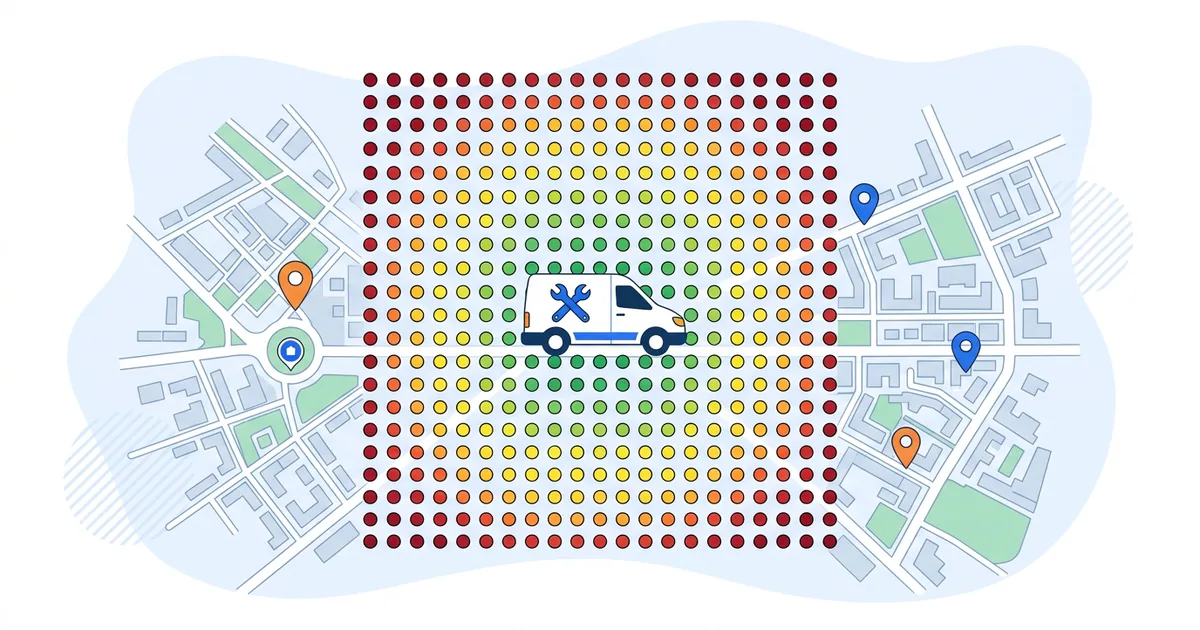
Run the same search from thirty or fifty points across the territory and plot the results. That's a geo-grid scan, and it is the only way to see your position in a town you don't live in. If grid scans are new to you, our explainer on the Google Maps grid rank tracker covers how each point is tested. Here we only cover the SAB twist: centre the grid on the customers.
Most people run their first grid the way a shop would, a circle around their own address. For an SAB that shows you strong at the centre (where you live) and fading at the edges (where the work is). Do it this way instead:
- Draw the grid over the territory. In a Google Maps rank tracker like GTrack you can draw a custom grid as a rectangle, circle or freeform polygon, up to 1,000 points. Trace the real service area: the towns you take jobs in, the motorway corridor you work along, the suburbs you want. Your house can sit at the edge or outside it.
- Set the spacing to match the territory. Pin spacing runs from 100 m to 10 km. For a county-wide plumber, 2 to 3 km between points covers the area without wasting credits. For a cleaner working one city, 500 m to 1 km shows district-level detail.
- Scan up to 5 keywords in one pass. Your primary category term ("plumber"), one emergency variant, one high-value service ("boiler repair") and one or two you're unsure about. HVAC contractors face the sharpest version of this, with emergency and installation keywords across several counties; the HVAC rank tracker post has a vertical keyword set.
- Read the shape. A hidden-address profile almost always shows the bullseye pattern around the house and one-sided decay toward the towns you want. How to read Google Maps heatmap patterns walks through what each shape means. Note the towns where you're #4 to #8: those are the ones an area page and a run of local reviews can flip into the pack. Towns where you're #20+ need a different conversation, possibly a second real base.
- Check who's winning where you're not. Open the View SERP replay for a red point and look at the three profiles in the pack. Count their reviews, note their primary category, check whether they show an address. Add the two strongest to competitor monitoring for a daily snapshot of their review count and rating.
- Schedule the re-scan. Weekly for the first two months while you're changing things, then every two to four weeks. The first scan tells you where you stand; the fourth-week re-scan tells you whether the area pages and reviews moved anything.
One credit covers one point for one keyword, so a 7x7 grid on 3 keywords is 147 credits. The first scan is free and needs no account; the free tier tops out at a 5x5 grid and 200 credits, which is enough to check whether your bullseye sits on the right part of the map before you pay for a wider polygon.
Your 30-day service area business SEO plan
Territory first, profile second. For an SAB the first job is finding out which towns you're losing, so the profile and content work goes where it counts.
Week 1: measure, then fix the profile
- Day 1: Run the free 5x5 scan centred on your busiest target town, 5 keywords. Save the report. Write down the three towns where you're #4 to #10.
- Day 2: Hide the address if it's still visible. Confirm the verification address is where you live or work.
- Day 3: Set the primary category to the most specific option. Trim secondary categories to real service lines. Fill the services list.
- Day 4 to 5: Add or clean service areas, no more than 20, none beyond the two-hour guide. Upload 10 job photos.
- Day 6 to 7: Run the free GBP audit and fix everything it flags.
Week 2: reviews and the first area pages
- Reviews: Ask every customer on the day of the job. Target one new review per working day. Reply to every review within 48 hours and mention the service and town in the reply.
- Area pages: Write one page for each of the three towns from your scan. 500 to 800 words each, real jobs, real photos, a review from that town, response time from your base. Link them from the homepage and from the matching service pages.
Week 3: citations and the website's location signals
- Citations: Correct the 20 to 30 directories that matter for your country. Same name, phone and website as the profile; street line hidden only where the directory supports it.
- Homepage: Put the core service and base area in the H1 and title. Add LocalBusiness schema with the service areas listed and the street address omitted.
Week 4: re-scan and compare
- Day 28: Run the same grid, same keywords, same spacing. Compare the three target towns against day 1. Two positions of movement in a town after four weeks is real; one dot changing colour is noise.
- Day 29 to 30: Pick the next three towns from the new scan and set it to repeat every two weeks.
GTrack: Draw a freeform grid over your service area, scan up to 5 keywords, and read the heatmap and the six-section AI report the same day. The first 5x5 scan is free with no account. Custom polygons up to 1,000 points and scheduled re-scans start at $19.99 a month with a 30-day money-back guarantee, and Business and Pro plans let you brand the reports on your own domain if you run this for clients.
Frequently asked questions
Does hiding my address on Google Business Profile hurt my ranking?
No. Google's guidelines tell service-area businesses to hide the address, and Whitespark's 2024 explainer says showing or hiding the address has no impact on rankings. Google still measures distance from the verification address either way, so hiding it changes what customers see and leaves your position alone.
How many service areas can I add and how far can they extend?
Up to 20, entered as cities, postal codes or regions; postal codes give you the tightest control over a county-wide territory. Google's help page says the boundary shouldn't extend beyond about two hours of driving from where the business is based, with larger areas appropriate for some businesses.
Can I use a virtual office or PO box for my Google Business Profile?
No. Google's help page says a rented mailing address you don't operate from, a virtual office, isn't eligible for a profile, and that PO boxes and remote mailboxes aren't acceptable. A co-working office is allowed only if it has clear signage, is staffed by your people during business hours, and receives customers there.
Should I create a separate Google Business Profile for every city I serve?
No. One operation gets one profile, with up to 20 service areas attached. A profile per city needs a real, staffed location in each city. Without that, the extra profiles break Google's duplicate rule and can be removed, and a suspension review can reach the legitimate profile too.
How do I get verified without showing my address?
You enter your real address during setup and answer no when Google asks whether customers can visit. Google uses the address for verification, by whichever method it offers you, and keeps it hidden on the public profile. If you move later, change the address in the profile and expect Google to ask you to verify again.