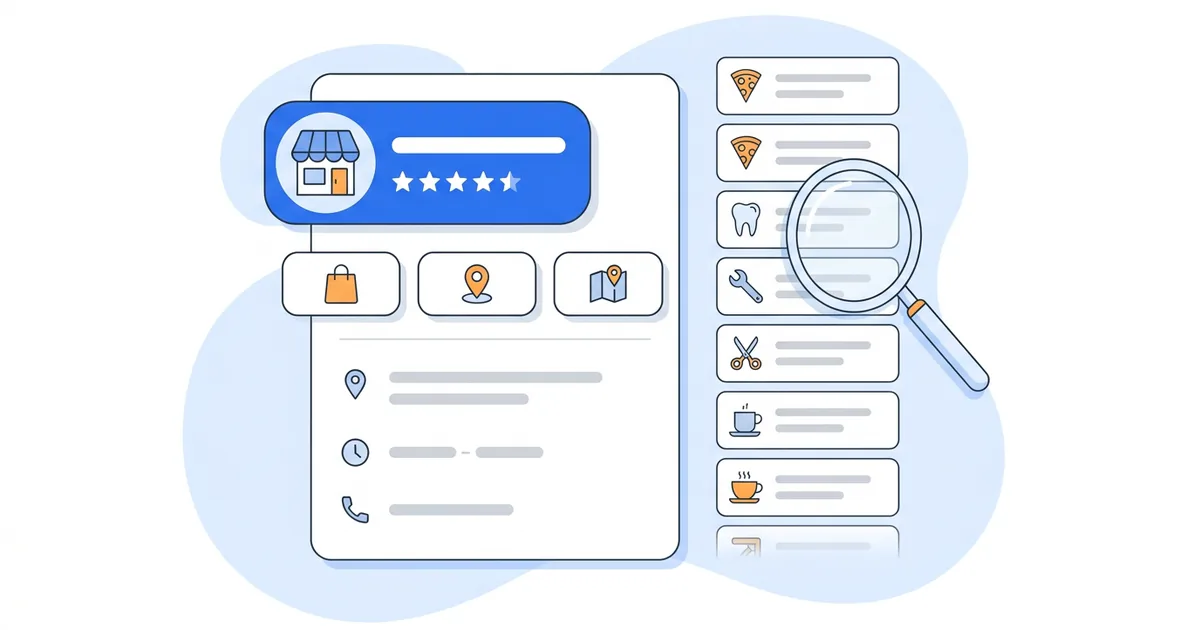
Your primary Google Business Profile category should finish the sentence "this business is a ___" with the one thing that earns most of your revenue, and it should match what the top 3 profiles in the map pack for your main keyword use. Add 2 to 4 secondary categories for services you sell every week, and stop there.
Google offers around 4,000 Google Business Profile categories and adds, renames or removes a few most months, so you'll search the list rather than read it. Google's category guidelines put the rule in two lines: "Choose categories that are as specific as possible, but representative of your main business" and "Use as few categories as possible to describe your overall core business." Pick "Golf resort" and Google already counts you as a hotel and a golf course; you don't add those too.
How to Choose Your Google Business Profile Categories
Run three questions on your primary category. If all three point at the same category, you're done. If they disagree, the revenue answer wins.
- The "is a" test. Google's guidelines tell you to select categories that complete the statement "this business IS a" rather than "this business HAS a". A dental practice with a whitening room is a "Dentist", not a "Teeth whitening service". Say the sentence with each candidate and cross out the ones that only describe a department.
- The revenue test. Rank your services by revenue over the last 12 months. The category that describes the biggest earner is your primary. If two services split revenue evenly, pick the one you want to grow and let a secondary carry the other.
- The map-pack test. Search your main keyword from your city and open the top 3 profiles. The primary category sits under the business name on each listing. When all three share one and yours differs, Google is treating you as a different kind of business from the three it shows. Match them unless the revenue test says you're a different kind of business.
Then add secondary categories. Google's help page frames them as a way "to inform your customers about special departments or services". A secondary should describe a service you could run as a standalone business and that a customer might search for on its own. A plumber who does a lot of drain work adds "Drainage service". A plumber who once unblocked a drain does not.
Plenty of profiles stop at the primary. In our study of 286 Google Business Profiles, 77 (27%) had no additional category at all, so if you sell a second service that customers search for on its own, check that a secondary covers it.
Keep the total, primary included, to 5 or fewer. The editor accepts up to 9 additional categories, but each one tells Google your business is a bit less about the primary. Our guide to fully completing your Google Business Profile uses the same ceiling and walks through the rest of the fields once the categories are set.
Tip: Google's reviewers compare what you claim to what they can see. If the sign says "Bakery" and the primary says "Cafe", pick the one that matches the sign and the website, then bring the others in line.
How to Find and Search the Full Google Business Category List
Search the list inside the profile editor, and use two outside references when you want to know what changed.
- Open the editor from Search. Signed in to the managing account, search your business name and select "Edit profile". Next to "Business category", select the edit icon.
- Type a fragment. The picker matches partial strings, so "dent" shows every dental category and "clinic" shows every clinic. Try the noun for what you do ("plumber"), then what you sell ("water heater"), then the customer's word ("emergency"). Write down every match for the competitor check later.
- Read the closest three side by side. "Restaurant", "Italian restaurant" and "Pizza restaurant" sit at different depths of Google's taxonomy even though the picker shows a flat list. Google's guidelines ask for the most specific one that still describes the whole business.
Two references cover the parts the editor can't show you. Dalton Luka publishes an alphabetical copy of the full list; the current version, dated May 9, 2026, runs to 4,046 entries, useful when you want to browse a whole industry without typing guesses. Sterling Sky keeps a month-by-month log of additions, renames and removals for the US list; its September 2026 entry records "Smoothie shop" and "Swimming pool" removed and nothing added. If one of your categories shows up as removed, Google has usually merged it into a neighbor, and the picker will show you the new name.
If your exact category doesn't exist, pick the nearest parent and put the specific term in your services and description. Google's help page is blunt about it: "You can't create your own category."
How to See a Competitor's Primary and Hidden Secondary Categories
The primary category is public: the grey text under the business name on the Maps listing and in the map pack. Google shows the secondaries nowhere in the interface, but the Maps page source and a couple of Chrome extensions do.
- From the Maps page source. Open the competitor's listing on google.com/maps in a desktop browser. View the page source (Ctrl+U on Windows, Cmd+Option+U on Mac) and search the source for the primary category name you can already see. The secondaries appear as plain strings next to it. Copy them into your notes with the profile name and the date.
- With a Chrome extension. GMBspy and GMB Everywhere overlay the primary and secondary categories on the listing. They read the same data; the extension saves you the search.
Do this for the top 3 profiles on each of your main keywords, then for the profiles ranked 8th to 10th. When the top 3 share a primary and one or two secondaries the bottom of the pack doesn't have, you've found the category set the top 3 share and the rest of the pack lacks. Match it before you spend on anything else. Check categories first in any local SEO competitor analysis, before reviews, photos or links, because they decide which queries you're eligible for.
If you already run geo-grid scans, you don't have to open each listing. A Google Maps rank tracker like GTrack groups every competitor that appears on the grid by Google Business Profile category in its scan analysis, with the top competitors in each category, their rankings and how many businesses compete in it. On a 13x13 scan that's 169 result pages read at once.
What Each Category Unlocks: Menus, Bookings, Services and Hotel Attributes
The category you pick changes which features Google offers you. Google's help page says: "Based on your business category, you might notice special features available for your Business Profile." Its examples are hotels (amenity fields), restaurants (menus and online orders) and health and beauty businesses (booking buttons).
- Google builds the attribute list from your category. A "Hotel" profile gets amenity fields a "Lodge" never sees. A broad category can hide half the Google Business Profile attributes you should be showing, and attributes are the filters customers tap on Maps.
- Google suggests services from the category. Once the primary is set, the Services tab offers a pre-built list that belongs to that category. Our guide to adding products and services to Google Business Profile covers how to accept the right ones and write the rest without stuffing.
- The richer features follow the primary. That is what we see on the profiles we manage. If a feature matters to your revenue, give it the primary rather than hoping a secondary carries it, then check the profile after it publishes.
Pick "Restaurant" over "Pizza restaurant" to catch more searches and you lose the menu, the booking button or the amenity grid, while the competitor who kept the specific category shows them.
What Happens When You Change Your Google Business Profile Category
Expect three things after you save the change.
- Re-verification. Google's category help page states: "If you add or edit an existing category, you might be asked to verify your business again." Video verification is the common ask, so have the storefront, signage, tools and a business document ready before you press save.
- Ranking shifts, in both directions. A new primary puts you in a different result set. Keywords the old category served will drop; keywords the new one serves should climb over the following weeks. Give it 30 to 60 days before judging it. Scan the same grid the day before the change and weekly after it.
- A review of the whole profile. A category edit goes through the same moderation as any other edit, and problems elsewhere on the profile surface then. Fix name, address and hours first.
Four reasons justify a switch: the revenue test now gives a different answer, Google renamed or removed your category, the top 3 competitors moved to a category you don't use, or a feature you need (menu, booking, amenity) only comes with a different primary. A slow month is not a reason. Once the primary is right, work through the rest of our Google Business Profile optimization checklist.
Important: Change one thing at a time. Changing category, name and address in one sitting is the pattern our suspension guide warns about first. Make the category change, wait for it to publish and for any verification request to clear, then touch the next field.
Category Mistakes That Cost Rankings or Trigger Suspensions
- Nine categories because the field allows nine. Every added category dilutes the primary and widens the gap between what the profile claims and what the website shows. Google's guidelines say to use as few categories as possible to describe the core business. Cut anything you couldn't defend with a page on your site.
- A broader category to "cover everything". "Contractor" instead of "Roofing contractor" puts you in more result sets and near the bottom of each one, and drops the roofing-specific attributes and services.
- Categories for things you have. A gas station with an ATM is a "Gas station". A gym with a smoothie counter is a "Gym". Google's own example in its guidelines is a pizza chain that offers takeout and delivery but no on-premises dining: it belongs under "Pizza delivery" and "Pizza takeout", and Google marks "Delivery restaurant" and "Takeout restaurant" as incorrect for it.
- Categories for a tenant inside your building. Google's guidelines say that if your business contains another business your organization doesn't own and operate, you only use categories that represent your business. The pharmacy inside your supermarket is not your category.
- A category that doesn't match the website or the signage. This one ends in a suspension rather than a lost position. When the website says "law firm", the sign says "legal services" and the primary says "Personal injury attorney", a reviewer sees three different businesses. Our Google Business Profile suspension guide covers what to do when a reviewer flags it; the cheaper route is to line up website, sign and primary category before you edit any of them.
- Service-area businesses picking a storefront category. Google's guidelines say a service-area business should hide its address and keep the service area within about 2 hours of driving time from its base. Choosing "Plumbing supply store" because it sounds like a place people visit invites an address check you'll fail.
- Different primaries across locations of the same brand. Unless a location is a different business (a showroom versus a service center), every location shares a primary. Secondaries can differ when the services do.
Good Primary and Secondary Category Pairings by Industry
Treat these rows as starting points. Run the three tests on your own numbers and your own map pack before copying one.
| Industry | Primary category | Secondary categories (2 to 3) | Watch out for |
|---|---|---|---|
| Plumbing | Plumber | Drainage service, Water heater repair service | Hide the address if you work from home |
| Dental | Dentist | Cosmetic dentist, Emergency dental service | Individual practitioners may have their own profile; give each the category for what that person does |
| Pizza restaurant | Pizza restaurant | Pizza delivery, Pizza takeout, Italian restaurant | Takeout and delivery only, no dining room: "Pizza delivery" and "Pizza takeout", never "Delivery restaurant" (Google's example) |
| Injury law | Personal injury attorney | Law firm, Trial attorney | Website home page must say the same thing |
| Hair | Hair salon | Hairdresser, Beauty salon | Add "Barber shop" only if you employ barbers |
| Auto repair | Auto repair shop | Brake shop, Oil change service, Tire shop | Dealerships use "Car dealer" as primary instead |
| HVAC | HVAC contractor | Air conditioning contractor, Heating contractor, Furnace repair service | Keep one primary all year; put heating and cooling in the secondaries instead of swapping the primary by season |
| Real estate | Real estate agent | Real estate agency, Commercial real estate agency | "Property management company" only if you manage rentals |
How to Keep Categories Right Across Every Location
Across ten locations, a manager adds three categories during a slow month and a new site gets set up from memory with a different primary. You find out when one location stops appearing for the keyword it used to own. Put the check on a calendar:
- Audit every location once a quarter. Categories are one of the six sections in a full Google Business Profile audit, so re-check them whenever you re-check name, address, phone and hours. For a single location, the free GBP audit reads the live profile and flags the category, NAP, description, hours, attributes and review sections in under a minute; you sign in with Google and nothing else.
- Keep a category register. One sheet: location, primary, secondaries, date last changed, who changed it, and the top 3 competitors' primaries at the time. Open it first when a ranking moves.
- Re-run the competitor check after any Sterling Sky log entry in your industry. A rename or removal means the top 3 may have moved too.
- Snapshot before every edit. A dated copy of the profile proves what the category was when a suspension or a Google-suggested edit lands. Google Business Profile management software like GLocal takes those dated backups automatically and keeps 18 months of performance data per profile, so you can see whether last year's category change moved calls and direction requests. Google's own dashboard stops at 6 months.
GLocal: An agency with 20 profiles runs the 6-area audit on all of them from one client workspace and gets a dated snapshot of each before anyone edits a category. Reviews, review requests and posts live in the same dashboard. Plans start at $29.99 a month for one location, with a 30-day money-back guarantee. GLocal manages profiles and doesn't track rankings, so pair it with a geo-grid scan when you want to measure a category change.
Frequently Asked Questions
How many categories can you have on a Google Business Profile?
One primary category plus up to 9 additional ones is what the profile editor accepts; Google's help pages don't print a number. Google's guidelines ask you to use as few as possible to describe the core business, and we recommend 5 or fewer including the primary. Only the primary appears publicly on the listing.
What is the difference between primary and secondary categories?
The primary category tells Google what your business is, decides which features and attributes you get, and decides which searches you're eligible for at all. Secondary categories describe additional services or departments and make you eligible for related searches, but a secondary never carries the weight of a competitor's primary for the same term.
Can I change my primary category at any time, and does it hurt ranking?
You can edit it whenever you like: select "Edit profile", then the edit icon next to "Business category". Google's help page warns that adding or editing a category might trigger a new verification. Rankings move because you enter a different result set: expect drops on queries the old category served and gains on queries the new one serves, and judge the change after a month or two of tracked data.
How do I see a competitor's secondary categories?
Open their listing on Google Maps, view the page source and search for the primary category shown under their name; the secondary categories sit next to it as plain text. Chrome extensions such as GMBspy and GMB Everywhere show the same data on the listing, and a geo-grid tool with category analysis groups every competitor on the grid by category at once.
What if my category isn't available on Google Business Profile?
Choose the closest parent category that still describes your whole business, then put the specific term in your description and services. Don't stack several near-misses to approximate it; Google's help page says you can't create your own category, and its guidelines ask for as few categories as possible.
Can different locations have different categories?
Yes, when the locations do different things, such as a showroom and a service center. When locations offer the same services under the same brand, keep the primary identical and vary only the secondaries that reflect real differences.