Blog

Insights and tips for the review community

blog Adrian Crismaru

How to Track Google Maps Rankings Accurately: 5 Mistakes That Ruin Your Data

TL;DR: What Drains Tracking Accuracy Over Time

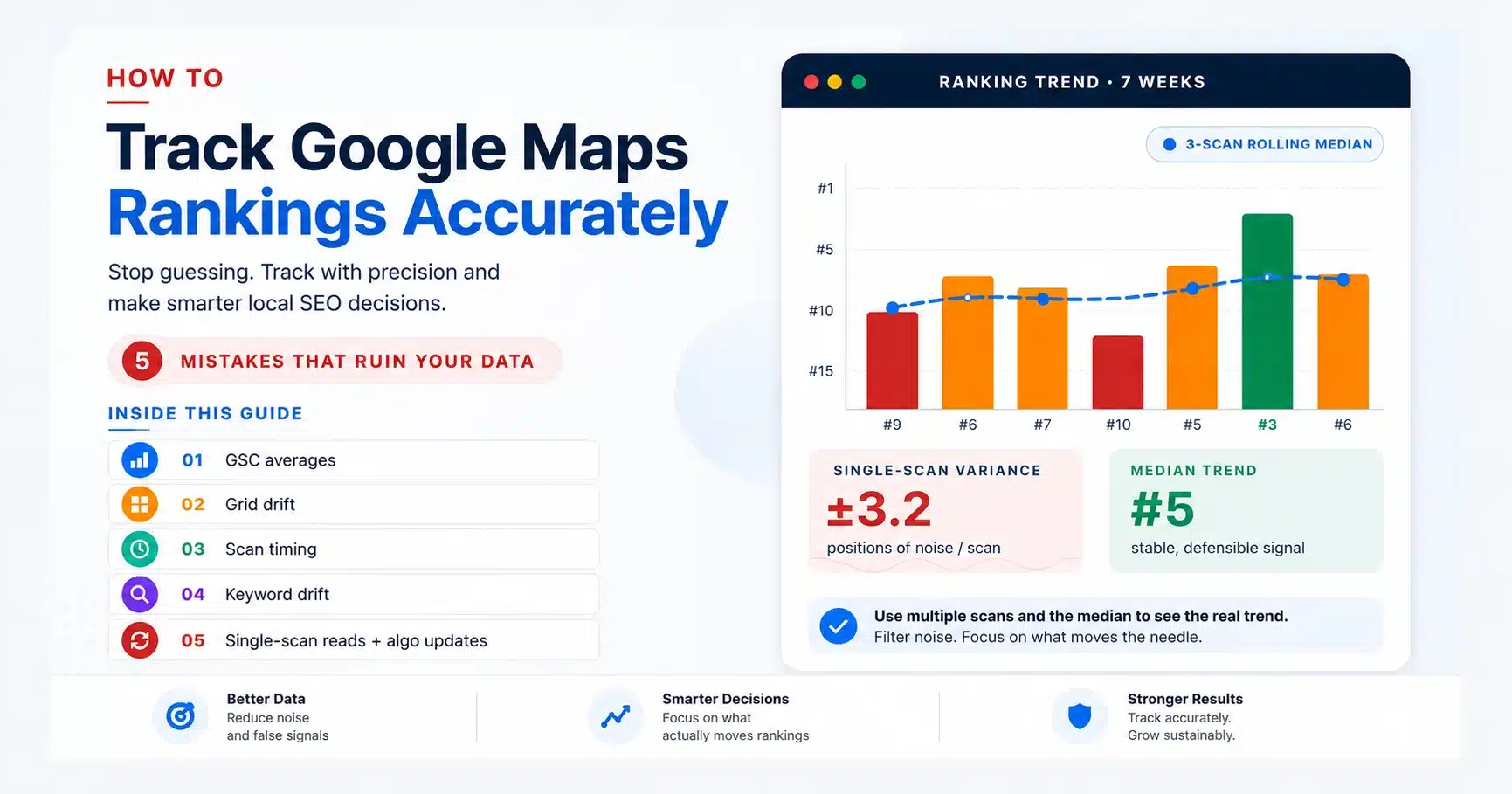
  • GSC averages mislead: Search Console reports a blended position across all search locations, not your actual Maps rank.
  • Grid drift kills comparability: Change the grid size or centre between scans, and your "trend" is no trend at all.
  • Scan timing matters: Friday evening and Tuesday morning produce different local packs for restaurants, services, and retail.
  • Keyword set hygiene: Adding or removing tracked keywords mid-engagement invalidates the trend line.
  • Single scans are noisy: Use a 3-scan rolling median, not the latest number. Mark algorithm updates and resets the baseline.
  • Self-audit: If you can answer "yes" to all six questions in the audit at the bottom of this guide, you are tracking accurately.

To track Google Maps rankings accurately, you have to fight two things: Google's per-search personalisation and your own tracking habits. The first is structural; the second is fixable, and the difference between a tracking setup that produces decisions and one that produces noise is a small set of process choices.

Read more →

blog Adrian Crismaru

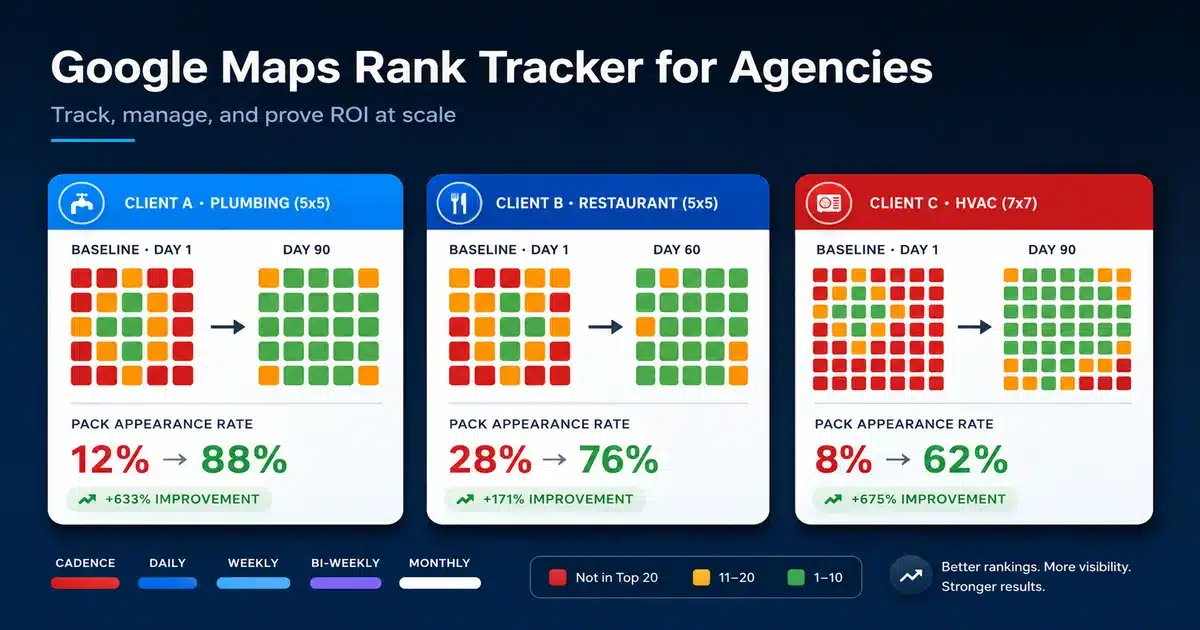
Google Maps Rank Tracker for Agencies: Track, Manage, And Prove ROI at Scale

TL;DR: The Agency Playbook in 6 Lines

  1. Set up one workspace per client and lock the grid to the service area, not the metro.
  2. Match report cadence to retainer size: daily for crisis, weekly for reputation work, bi-weekly for new builds, monthly for steady-state.
  3. Run a clean baseline grid on day one before any optimisation. That is the "before" you will defend the retainer with later.
  4. Build a one-page client report: 3 KPIs, 2 grid screenshots, 1 next-month action. Skip everything else.
  5. Compare grids at 30, 60, and 90 days. Tile-by-tile shifts are proof that the average-position chart will never show.
  6. Use the same grid evidence to upsell GBP management work where rankings are blocked by profile problems, not ranking signals.

Read more →

blog Adrian Crismaru

How to Improve Google Maps Ranking Step by Step

TL;DR: The Short Answer in Six Lines

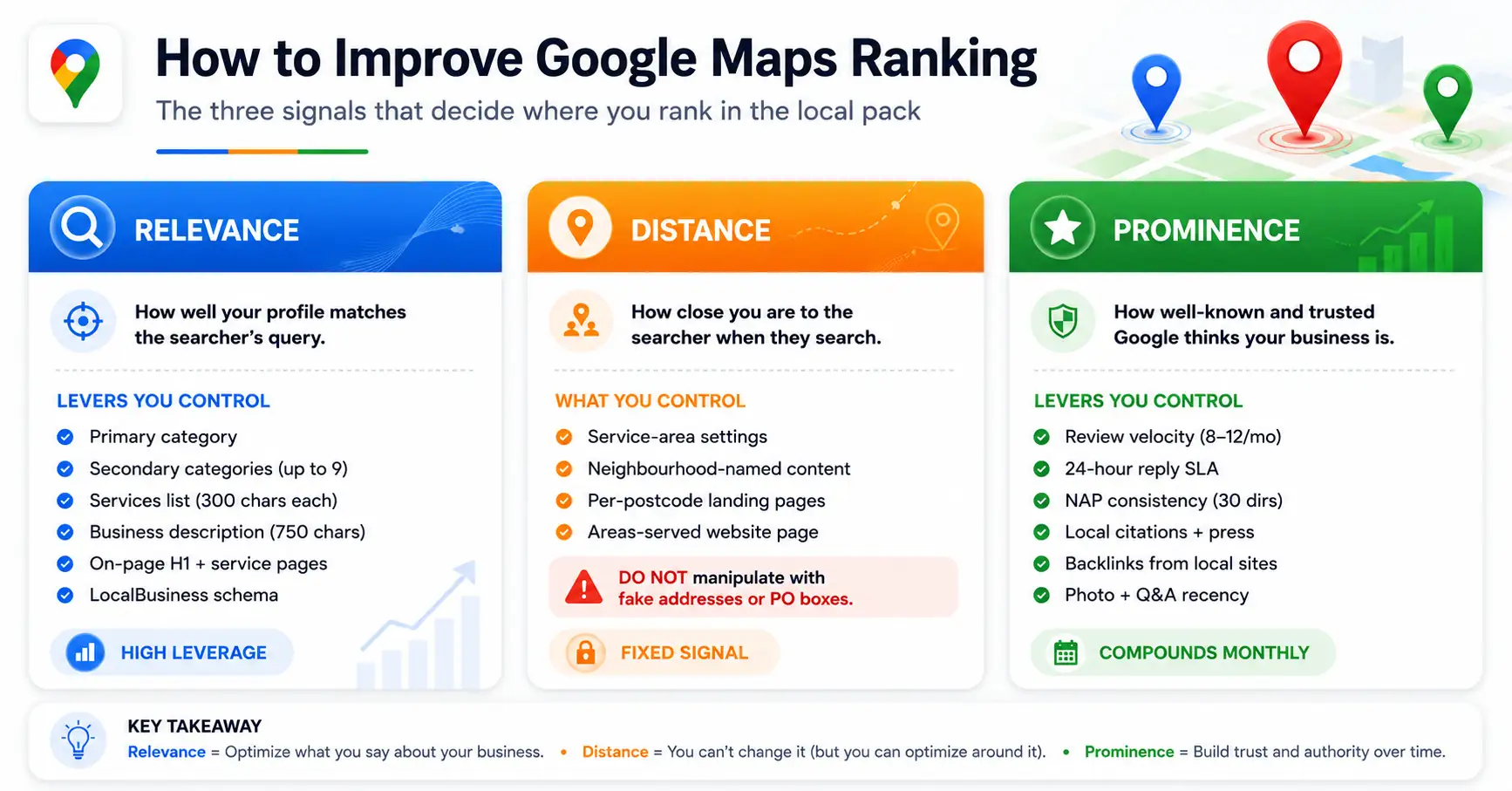
  • Three signals decide every Maps ranking: Relevance, Distance, and Prominence. Two are levers, one is fixed.
  • Profile completeness is the cheapest gain: primary category, services, attributes, Q&A, photos, in that order.
  • Velocity beats volume on reviews: 8 to 12 fresh reviews per month, every one replied to within 24 hours.
  • NAP consistency is non-optional: identical name, address, phone across your top 30 directories.
  • On-page work sets the ceiling: city plus service in the H1, a service page per offering, LocalBusiness schema.
  • Measure on 30-day cycles: the local pack moves in two to four-week waves. Weekly scans are noise.

How to Improve Google Maps Ranking is the question every local business owner ends up asking the moment they realise their competitor is sitting in the local pack and they are not. The honest answer is that Maps ranking is not magic and it is not luck. It is a public scoring system Google has documented for years, and every gain you can make comes from understanding what the system actually reads. This guide is structured as the questions owners ask, in the order they ask them, with the direct answer to each one. Read it top to bottom on a Sunday afternoon, and you will leave with a 30-day plan you can run on Monday.

Read more →

blog Adrian Crismaru

What Is a Google Maps Grid Rank Tracker And How Does It Work?

TL;DR: What a Google Maps Grid Rank Tracker Does in 30 Seconds

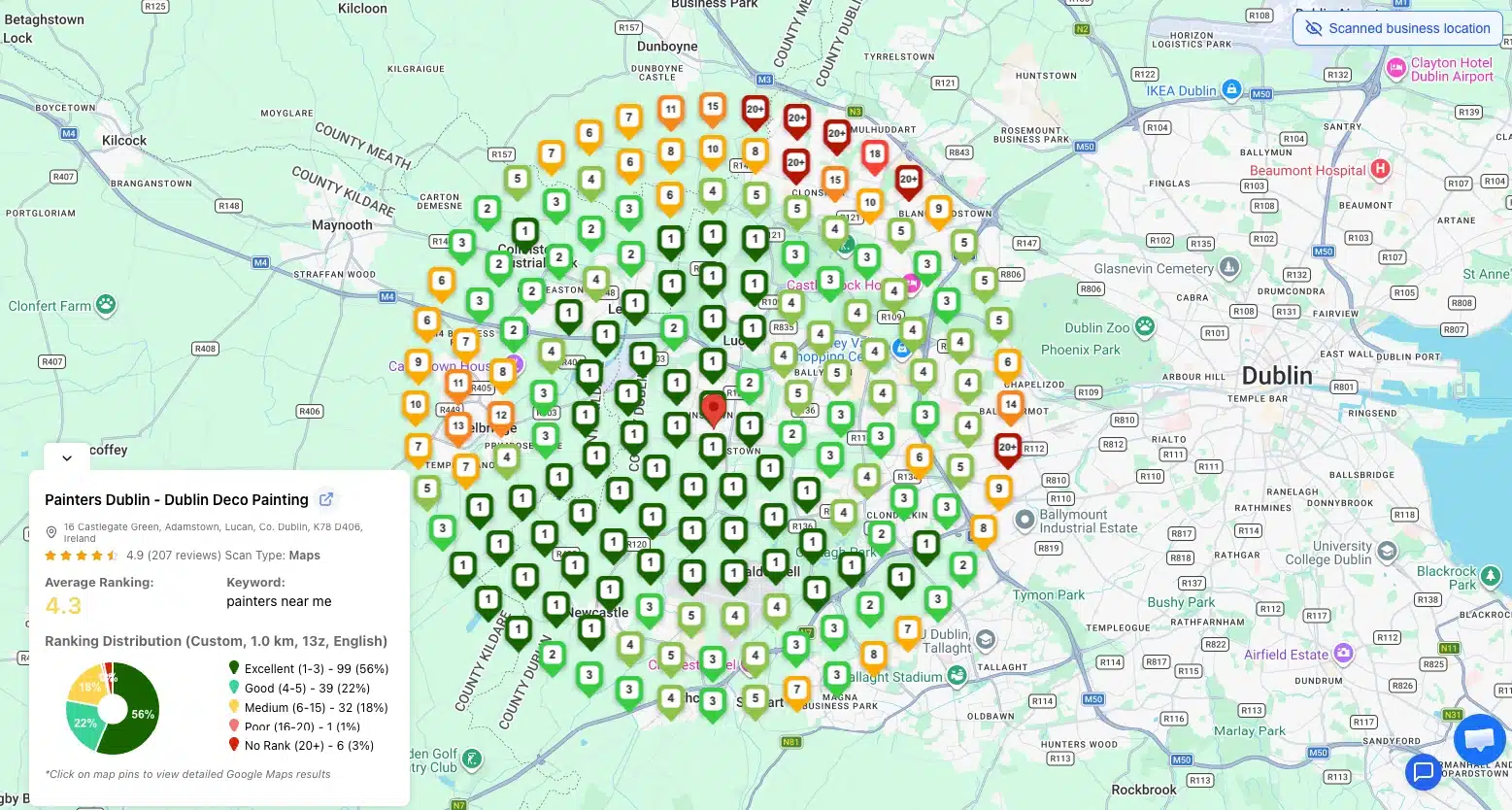
  • What it is: A local SEO tool that runs the same keyword from many simulated locations across a geographic grid, then maps each result as a colored heatmap point.
  • Why it matters: Google Maps rankings change by physical location. Standard tools report one blended average that hides where you actually win and lose.
  • How it works: 25 to 49 simulated searches per keyword, each from a different latitude/longitude, returning your local pack position from each spot.
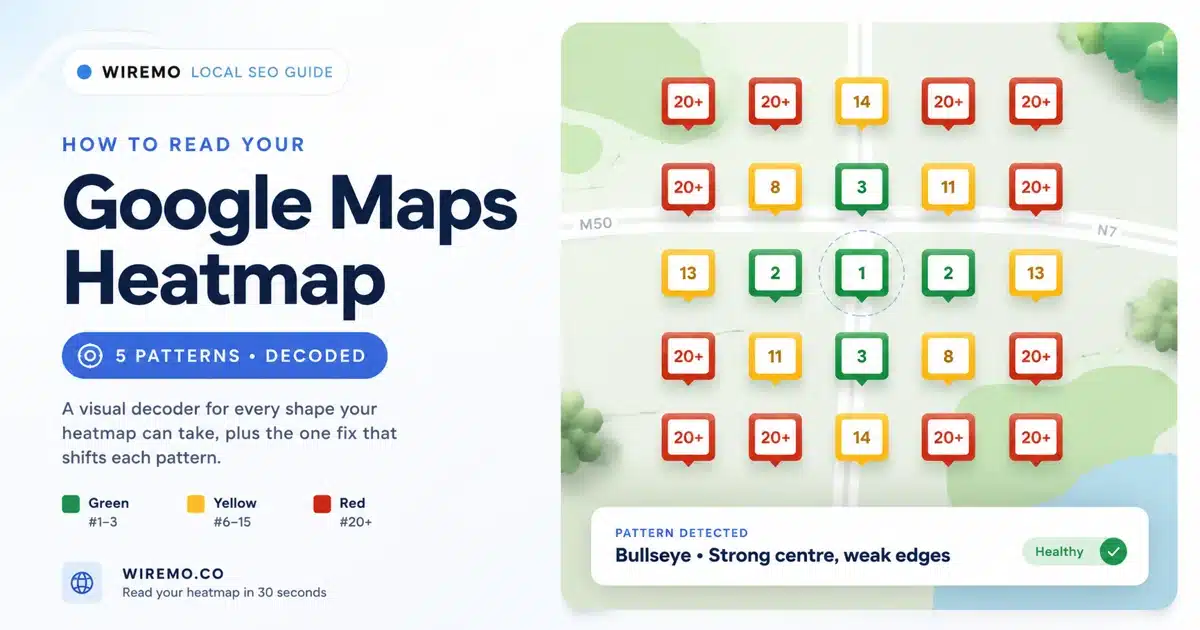
  • What you get: A heatmap with green (top 3), yellow (4-10), and red (11+) showing exactly where in your service area customers can find you.
  • The payoff: Spot the weak zone, fix what is different from the local winner there, re-scan in 7 days. Most service-area businesses close 60-80 percent of their visibility gap in three weeks.

Your business ranks number one on Google Maps. At least, that is what you see when you search for it on your phone, sitting at your front desk. Walk three blocks east and search the same keyword, and you have vanished from the local pack entirely.

Read more →

blog Adrian Crismaru

Why Your Google Maps Ranking Is Different by Location

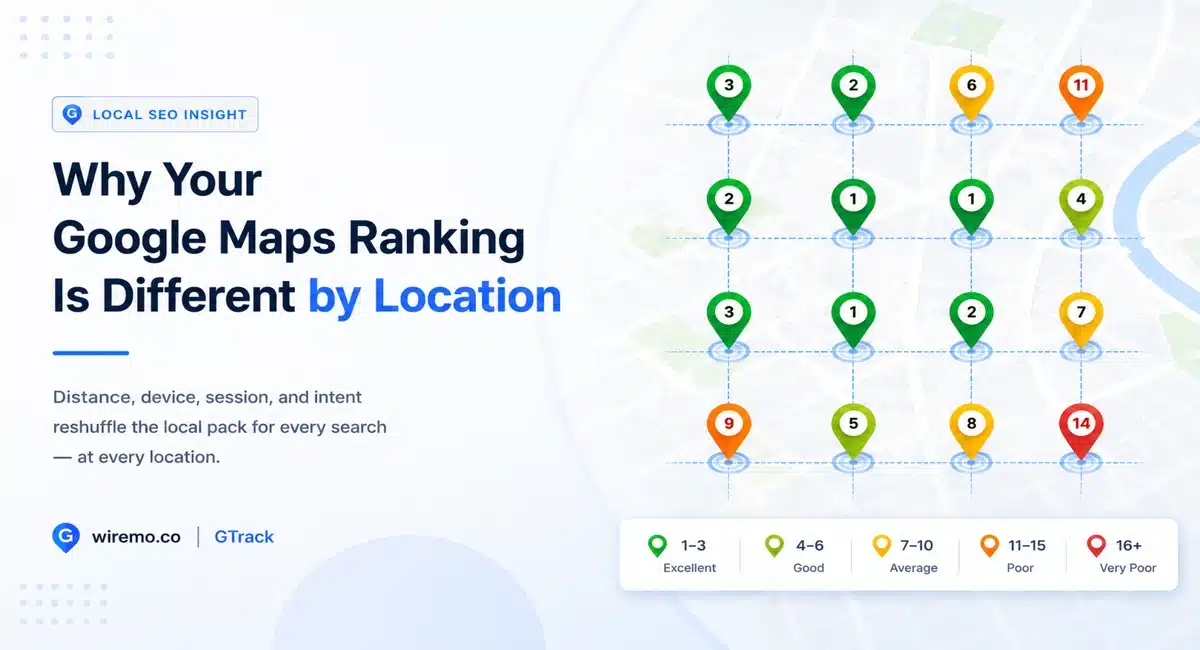
Search "plumber near me" from your office, and you might see your business at #3. Drive ten blocks away, search again, and you could be #11. Same business, same keyword, same minute. Your Google Maps ranking changes by location because Google doesn't store one fixed number for your business. It builds a new ranking every time someone searches, using inputs that change for every customer. Two customers across the street from each other can see two different local packs. The same customer searching from their phone at 9 a.m. and from their laptop at 9 p.m. can see two more.

Most local SEO advice treats Google Maps ranking like a single number you can move up or down. That model is wrong, and acting on it is why so many local businesses do "everything right" and never see the rankings they expect. Google Maps ranking changes by location, by device, by session, and by intent. The score you see in any one place is one slice of a much wider distribution.

Read more →

blog Adrian Crismaru

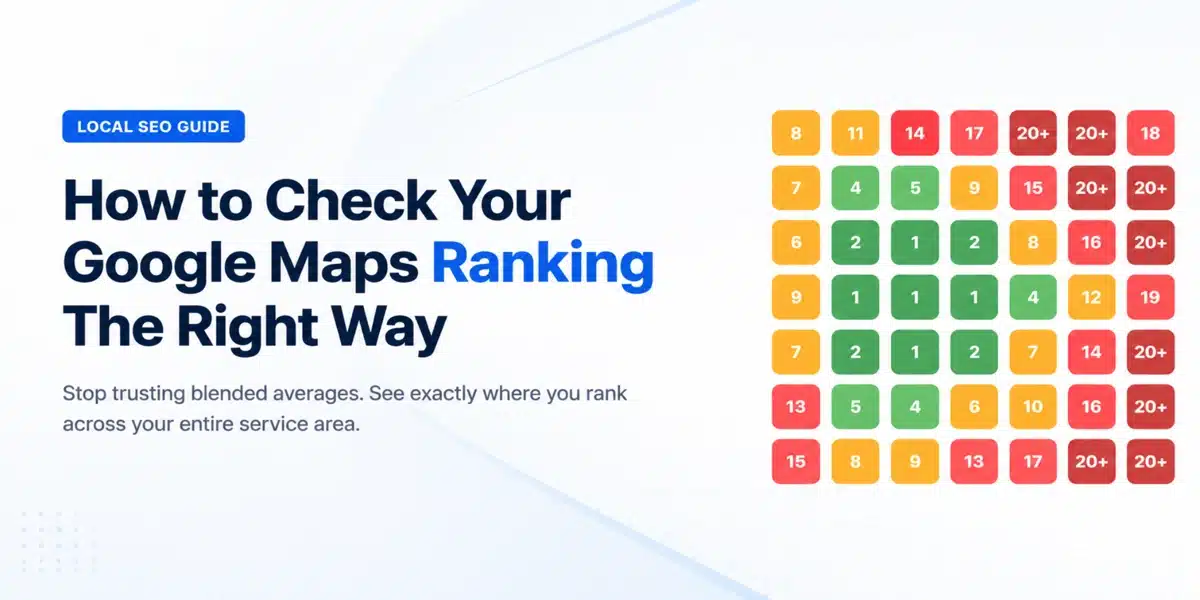
How to Check Google Maps Ranking (The Right Way)

The position Google shows you in Search Console is not your real Google Maps ranking. For most local businesses, it's a blended average across dozens of search contexts, and acting on that number leads to misplaced priorities and wasted budget.

Here's what that looks like in practice. A dentist in Chicago checks Google Search Console and sees an average position of 9 for "dentist near me." They assume their local SEO is working. What Search Console doesn't show: they rank #2 in Lincoln Park, where the office is located, and #18 in Wicker Park, three miles away. Half their service area doesn't know they exist.

Check Google Maps ranking the right way means looking at your position by location, not just one averaged number. This guide explains the difference, why it matters, and the step-by-step method to get accurate data you can actually act on.

Read more →

Business Adrian Crismaru

How to Use AI to Dominate Local SEO in 2026

Over 40% of search queries are now handled by AI systems. Not keyword-matched. Not link-ranked. Answered by AI.

If your local business isn't showing up in those AI-generated answers, you're not losing to better competitors. You're losing to businesses that figured out the new rules faster.

This guide breaks down exactly how to use AI to dominate local SEO in 2026, from keyword research to content creation, Google Business Profile optimization, and review management.

I'll show you what's actually working.

Read more →

blog Adrian Crismaru

10 Best Local Rank Tracker Tools (2026): Tested And Compared

If you're trying to grow your local business visibility, knowing where you rank on Google Maps is not optional. It's the starting point for every smart local SEO decision you make.

The problem? Most business owners and agencies have no idea where they actually rank across different neighborhoods, zip codes, or cities. A business might show up at position 1 in one part of town and completely disappear two miles away. Without the best local rank tracker, you're flying blind.

In this guide, we tested and compared the 10 best local rank tracker tools available in 2026, covering accuracy, pricing, key features, and which type of business each tool is best suited for.

Read more →

blog Adrian Crismaru

The Best Google Maps Rank Checker Tools, Compared (2026)

A Google Maps rank checker shows where your business appears in Maps results when someone searches your target keyword from a specific location. Most tools display this as a geo-grid: a grid of pins spread across your service area, with your ranking position at each point.

That grid matters because your Maps rank isn't a single number. You might sit at position 1 two blocks from your storefront and fall to position 18 a mile west. A one-location check won't reveal that. This post covers the four tools worth considering, a side-by-side pricing table, and a step-by-step walkthrough for running your first scan.

Read more →