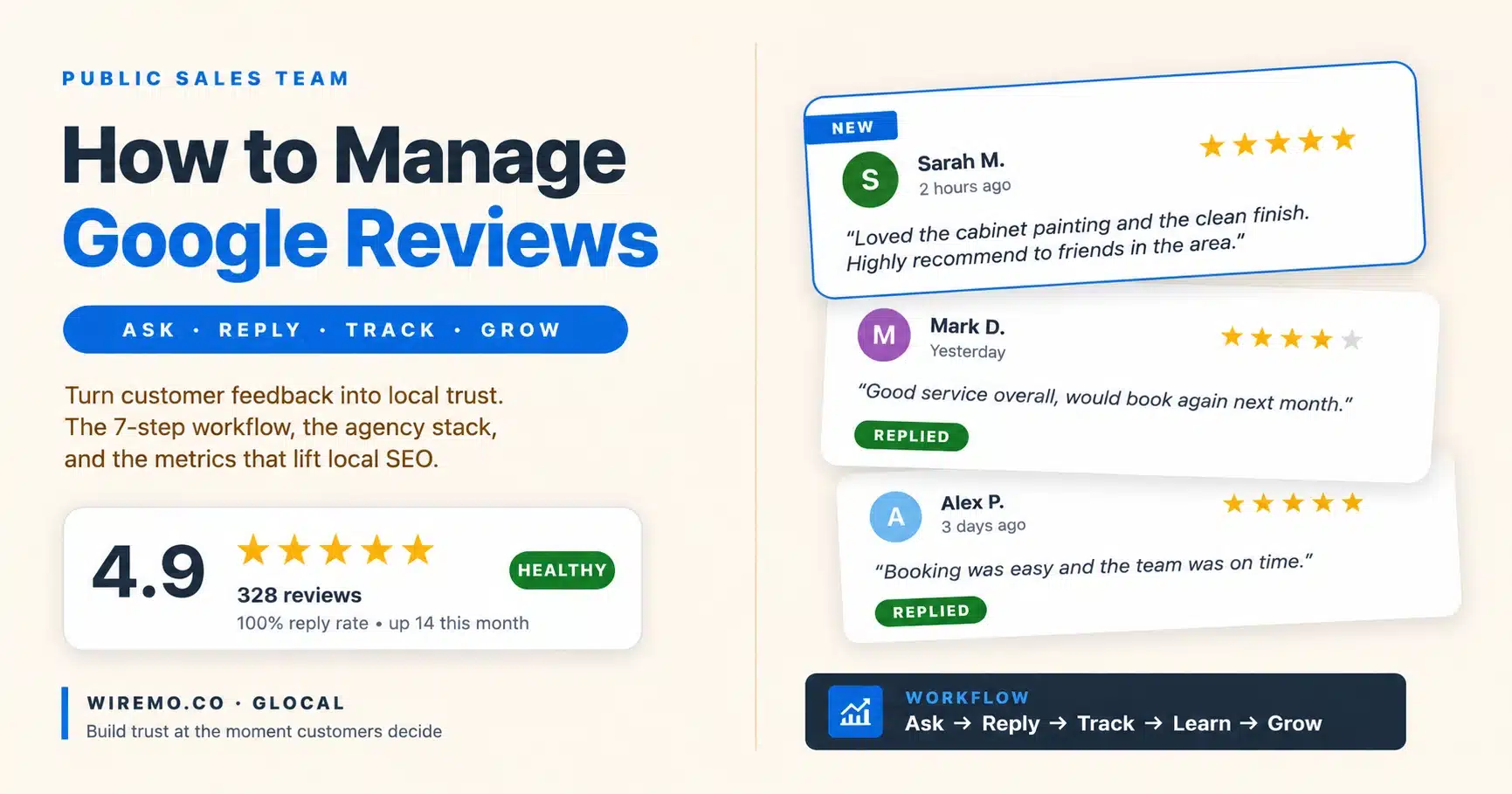
Learning how to manage Google reviews is not about chasing stars. It is about building trust at the precise moment a potential customer is deciding whether to call you, visit you, book you, or scroll past you, and that decision now happens almost entirely inside the Google Maps pack, before anyone clicks through to your website.
TL;DR – What you'll learn:
- How to manage Google reviews end-to-end, not just reply with "Thank you"
- Why Google reviews influence local SEO and local-pack rankings
- A 7-step workflow that works for a solo business and for an agency with 50 locations
- How to reply to negative reviews without making them worse
- The 6 risky review practices that quietly damage trust
- The metrics that matter beyond star count, and what good Google review management software should report
For local businesses in 2026, reviews sit at the exact pivot point of the buying journey. People search for a service, compare a handful of businesses inside the local pack, scan the ratings, read the most recent feedback, and quietly pick the one that feels safer. Customers rarely tell you they decided because of your review profile, but every CTR study and every on-site test keeps proving that is exactly what happened.
Your reviews are your public sales team, working every day, after hours, and long before anyone ever lands on your website, and when you ignore them, they keep working against you. That is why learning to manage Google reviews has shifted from a reputation chore to a core part of any serious local SEO stack, sitting alongside your Google Business Profile, your service pages, and your tracking setup.
Most owners only think about how to manage Google reviews when something goes wrong. A one-star review appears. A fake review damages the rating. A competitor pulls ahead. Then panic starts. The businesses that win the local pack manage Google reviews as a daily habit, not a quarterly cleanup, and the right Google review management software turns that habit into a system. This guide walks through that system, end to end.
What It Really Means to Manage Google Reviews
To manage Google reviews is to collect, monitor, reply to, analyse, and improve every Google review your business receives. Google review management software is the tool that runs that process at the speed and scale a busy local business actually needs.
Simple idea. Big impact.
Google review management software pulls every review from every connected Google Business Profile into one inbox, alerts you on every new review, drafts replies, tracks deleted reviews, and surfaces the keywords customers keep mentioning. The underlying habit (ask, reply, learn) does not change. The software just removes the friction that kills consistency.
Beyond "Thank You" Replies
Most business owners think learning to manage Google reviews means replying with "Thank you for your feedback."
That is not enough.
When you manage Google reviews properly, you learn what customers love, what they complain about, which services they mention most, and which words they use when they describe your business. Those words matter for trust. They also matter for local SEO. Good Google review management software surfaces those patterns automatically instead of forcing you to read 200 reviews by hand.
Google wants to show businesses that people trust. Reviews send strong trust signals because they come from real customers, not from your marketing page. Fresh activity, consistent ratings, and recent replies all tell Google the profile is alive, and the business is responsive. A profile with 400 reviews and zero replies in 18 months looks dead. A profile with 60 reviews and a clear reply pattern looks active. Google notices the difference. So do customers.
Why Google Reviews Matter for Local SEO
Google reviews influence how people choose a business. They also support visibility in local search.
A business with consistent positive reviews, fresh review activity, and clear service-related language often looks more relevant and trustworthy than a profile with old, ignored reviews. That is why knowing how to manage Google reviews belongs inside the SEO plan, not in a separate "reputation" bucket nobody owns.
Consider a painting company in a competitive city. If customers keep writing reviews mentioning "interior painting," "kitchen cabinet painting," "clean work," and "on time," Google receives repeated signals about what that business does and how customers experience it. Reviews alone will not rank you, but they support the full picture. Your Google Business Profile, categories, services, website, location, citations, content, and reviews all work together. Reviews help confirm the story. Customers read them before they believe you.
A silent profile looks weak. Even if your service is excellent, an unanswered review profile signals you are careless or absent. People may not say it out loud, but they notice. The pattern is consistent across local search: profiles with steady reply activity hold position better through algorithm updates than profiles that look abandoned. Reviews are not just about reputation; they are an ongoing freshness signal, which is why how you manage Google reviews earns a permanent slot in the weekly local SEO routine.
Do not let a Google review sit for more than 48 hours without a reply. Future customers read the reply pattern before they trust the business. A two-week-old, unanswered one-star review is louder than the review itself.
The Workflow That Makes It Easy to Manage Google Reviews
You do not need a complex system to start. You need a repeatable one. The same 4 sub-steps apply whether you run one location or fifty.
Ask at the Right Moment
The first lever in how to manage Google reviews well is timing. The best time to ask for a review is shortly after the customer has experienced the result. Not three weeks later. Not when you remember.
For a restaurant, it might be after the meal. For a dentist, after a successful visit. For a home service business, after the customer confirms that the work looks good. For an agency, after the client sees a clear win.
Timing changes by business type. The principle stays the same: ask when satisfaction is fresh.
Your request should be short and direct. Use a template like this:
No pressure, no tricks, and short enough that customers actually finish reading it.
Make Requests Easy with a Direct Link
People are busy. If your customer needs to search for your business, find your profile, click the right place, and figure out where to write the review, many will quit.
Use a direct Google review link in every channel: email, SMS, WhatsApp, printed cards, QR codes, invoices, receipts, and follow-up messages. The easier you make the path, the more reviews you collect.
A printed QR code at the counter or on the invoice converts surprisingly well when paired with a verbal ask. A review QR code generator takes about 30 seconds to set up and works for every customer who walks in. Most modern Google review management software now includes QR code generation, smart-link tracking, and SMS or email request templates inside the same tool, so the tools you use to manage Google reviews can run the request flow for you.
Reply to Every Review (Yes, Every One)
Positive reviews deserve a reply because the customer took the time to help your business. Negative reviews need a reply because future customers watch how you handle problems.
Your reply is not only for the reviewer. It is for everyone reading later.
A good positive reply should feel human. Use the customer's name if available. Mention something specific from the review. Keep it warm, but not fake. The contrast below shows what most replies look like, and what they should look like.
Specific beats generic. Always.
How to Reply to Negative Reviews Without Making It Worse
Negative reviews feel personal. Especially when you care about the work.
Do not fight in public. A defensive reply hurts more than the review itself. People expect mistakes. They judge how you respond.
Stay calm. Acknowledge the concern. Avoid long arguments. Invite the customer to continue the conversation privately when the details are sensitive.
Controlled. Professional. Human.
The table below summarises the most common negative-review triggers and the calm-reply pattern that works for each.
| What the review says | Likely root cause | Reply to that move that works |
|---|---|---|
| "They never showed up" | Scheduling or communication gap | Acknowledge, name the booking system, and invite a private call |
| "Rude staff" | Single bad interaction, often fixable | Apologise without details, offer to make it right privately |
| "Overcharged" | Pricing was unclear at the moment of sale | Confirm your pricing process, and offer to review the invoice |
| "Never used this business" | Possible fake, wrong business, or competitor | Calm public reply, then flag through the proper Google channel |
Do not accuse the customer of lying, even when you believe they are wrong. Do not write a courtroom defence. Do not reveal private details. Stay sharp.
Save 3-4 reply templates for your most common positive and negative themes, then personalise each one with a name and a specific detail. Templates remove decision fatigue. Personalisation keeps replies from looking automated.
Track Fake, Unfair, and Deleted Reviews
The defensive side of how you manage Google reviews protects what you have built. Not all reviews are fair.
Some come from people who were never customers. Some are posted by competitors. Some violate Google's policies. Some disappear without clear notice.
When to Report a Review
If a review looks fake or clearly violates Google's rules, report it through Google's official process. Keep evidence: screenshots, review text, rating, reviewer name, date, and the reason you believe the review breaks policy. Google's contribution policies list the categories that qualify for removal: spam, conflict of interest, off-topic, restricted content, illegal content, terrorist content, sexually explicit, offensive, dangerous, impersonation, and personal information.
Most fake reviews fall under spam, conflict of interest, or impersonation. The clearer your evidence under one of those categories, the better the chance the review comes down.
Why Reviews Disappear and How to Spot It
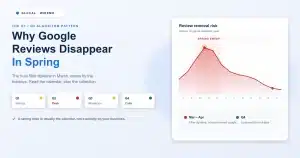
Google also removes reviews on its own. Sometimes the spam filter catches a real customer review and pulls it down. You will see the count drop without warning.
If you rely on reviews for trust and local rankings, you should know when reviews vanish. Good Google review management software flags deleted reviews automatically so you can decide whether to appeal, ask the customer to rewrite, or simply move on. This is one of the strongest reasons to use software to manage Google reviews instead of doing it by hand.
The pattern matters more than any single removal. If 5 reviews disappear in a week, something changed. If 1 disappears in a quarter, it is probably normal filtering.
Turn Review Data Into Local SEO Fuel
This is the part most teams skip, and it is also the part that turns the discipline of managing Google reviews from a chore into a growth engine. Reviews are not only marketing assets. They are conducting customer research.
Customer Language Is Free Research
Read your reviews carefully. Look for repeated words. Look for complaints that come up again and again. Look for service names people mention without being asked.
Customers often describe your business better than you do. A bakery might think people love the cake design, but reviews may show people talk more about delivery, allergy care, or birthday service. A painting company might promote "premium painting," while customers praise cleanliness, punctuality, and communication.
Those details should shape your website copy, Google Business Profile services, posts, FAQs, and sales conversations. Your reviews show what customers already value. Use that language.
Map Review Keywords to Your Local SEO
The SEO payoff of learning how to manage Google reviews lives in the language. Reviews are full of keyword clues. Not stuffing. Real customer language. That matters.
If customers keep mentioning "emergency plumber," "same day repair," "vegan birthday cake," "wedding makeup," or "kitchen cabinet painting," you should pay attention. Those phrases reveal what people associate with your business.
Use those insights in your Google Business Profile services, website pages, FAQs, blog posts, and sales copy. Then verify each keyword is actually moving in the local pack using a local Maps checker, so you do not waste optimisation work on terms nobody searches.
Do not copy every phrase blindly. Look for patterns. If 10 customers mention fast delivery, build content around delivery. If people praise communication, show that clearly on your service pages.
How to Manage Google Reviews at Scale (Agencies and Multi-Location Teams)
If you manage Google reviews for one business, you need discipline. If you manage Google reviews for 10, 20, or 50 locations, you need a system.
What Agencies Need in the Stack
Agencies face a different problem. They do not only need to reply to reviews. They need to protect client trust, save time, show progress, and avoid missing important feedback across multiple Google Business Profiles.
Without a central workflow, the work gets messy fast. A bad review sits unanswered. A fake review damages a client's rating. A deleted review goes unnoticed. A client asks what happened, and nobody has a clear answer. This is exactly the problem agencies face when they try to manage Google reviews at scale by hand, and what Google review management software is built to solve.
A serious agency stack to manage Google reviews includes:
- A central inbox for all client reviews
- Fast alerts when new reviews appear
- Clear status tracking for replied and unreplied reviews
- AI-assisted reply drafts that sound natural
- Deleted review tracking with timestamps
- Sentiment and keyword analysis
- Simple reports for clients
For teams that want to manage Google reviews in one place, Wiremo's review management software is built for monitoring, replying, and organising customer reviews across multiple Google Business Profiles. Pair it with a GBP workflow tool for posts, photos, and Q&A, and you cover the full profile, not just the review feed.
The table below contrasts what a solo business needs against what an agency needs. Use it to decide where you are and what to add next.
| Need | Solo business | Agency or multi-location |
|---|---|---|
| Reply workflow | Phone notifications + 4 saved templates | Central inbox, AI drafts, assignment to team members |
| Alerting | Email or app push on new review | Per-client alerts, severity tiers for low-star reviews |
| Reporting | Quarterly review of star average and themes | Monthly white-label reports per client + portfolio rollup |
| Deleted-review tracking | Manual count check monthly | Automatic flag the moment a review is removed |
| SEO use of review data | Pull 3-5 keywords for service pages | Sentiment + keyword analysis across the portfolio |
Risky Review Practices to Avoid
Do not buy reviews. Do not ask staff to write fake reviews. Do not pressure customers. Do not offer rewards in exchange for positive reviews. Do not gate reviews in a way that blocks unhappy customers from leaving public feedback.
These shortcuts damage the business. They also break Google's review removal rules and create trust problems if customers notice. The goal when you manage Google reviews is not to manufacture a perfect reputation; it is to show a real one, managed well. A few negative reviews do not always hurt. In many cases, they make the profile look more believable. What matters is the overall pattern, the quality of the replies, and whether the negative feedback points to real business issues.
Measure What Matters, and Why It Compounds
You should not only count reviews. Review count matters, but it tells only part of the story. A business with 500 reviews and slow replies may still lose trust. A business with fewer reviews but stronger recent feedback, better replies, and clear service mentions may convert better.
A proper report from your Google review management software tracks the numbers that show progress:
- Total review count and average rating
- Review growth per month (velocity)
- Response rate and average response time
- Number of negative reviews and what they share
- Common positive themes and service keywords that customers mention
- Deleted or missing reviews per quarter
Review velocity deserves special attention. You want a steady flow, not 40 reviews in two days followed by six months of silence. A natural pattern looks healthier and feels more believable to customers. It also keeps the profile active over time.
A strong review profile is hard to copy quickly. Competitors can copy your services, your pricing, and your website structure. They cannot instantly copy years of real customer trust.
That is why the work to manage Google reviews compounds. Every new review adds another public proof point. Every thoughtful reply shows that someone is paying attention. Every pattern gives you a chance to improve the service and the local SEO strategy. The businesses that learn how to manage Google reviews as a serious asset build stronger trust over time, look more active, and give potential customers fewer reasons to hesitate.
If your business gets customers from Google, manage your Google reviews with intent. Do not leave them to chance. Ask at the right time. Make it easy. Reply like a real person. Watch for problems. Learn from customer language. Keep the profile active. The habit of managing Google reviews is not a one-time cleanup job. It is a long-term discipline. And for local businesses, that discipline becomes one of the strongest trust signals you own.
Frequently Asked Questions
How often should I check my Google reviews?
Daily, if you want to manage Google reviews properly. Solo businesses should turn on phone notifications. Agencies should rely on Google review management software with a central inbox that alerts the team within minutes of a new review, since same-day reply is the single biggest lever in the whole workflow.
Can I remove a fake Google review?
Sometimes. Google will only remove reviews that clearly violate its contribution policies (spam, conflict of interest, impersonation, off-topic, illegal content, and a few others). Submit the report with screenshots and a clear policy reference. If the first appeal is rejected, you can escalate through Google's small-business support form.
Do Google reviews directly affect Google Maps rankings?
Not as a single direct factor. Reviews influence local pack visibility through a mix of trust signals: rating, freshness, reply activity, and the keywords customers mention. A profile where you actively manage Google reviews almost always outperforms a similar profile with reviews that sit ignored, which is why every serious local SEO plan includes a workflow to manage Google reviews.
How quickly should I reply to a negative review?
Within 24 to 48 hours. After that, future customers see a profile that does not respond when something goes wrong, and the reply itself becomes less convincing. Speed matters more than length.
Should I ask every customer for a review?
Ask every satisfied customer. Do not ask customers who clearly had a poor experience, because the right move there is to fix the issue first. The healthiest way to manage Google reviews aims for a steady, natural flow that reflects real service quality, not a spike followed by silence.
Is it better to manage Google reviews with software or by hand?
By hand works for one location with low volume. Beyond that, Google review management software centralises every Google review from every location, alerts you in real time, drafts replies, flags deleted reviews, and pulls sentiment and keyword data. Manual replies cover step one. Software covers the rest of the system, which is where most of the trust and SEO value lives.