Delete Instagram account if you feel overwhelmed by constant scrolling or social pressure. Instagram is one of the largest social media platforms in the world. With over one billion active users, it has become a primary way for people to stay connected with friends, family, brands, and celebrities.
At the same time, constant exposure to curated lifestyles, endless scrolling, and social comparison can take a mental toll. Research increasingly links heavy social media usage to anxiety, stress, and reduced well-being.
Whether you want to protect your privacy, reduce screen time, or step away from your social media presence, deleting your Instagram account can be a healthy decision.
Important:
Deleting an Instagram account is permanent. Once the deletion process is completed, all photos, videos, stories, reels, followers, comments, likes, direct messages, and account activity will be permanently removed from Instagram’s systems. Your username will be released and cannot be reused by you or anyone else in the future.
After confirming deletion, your account enters a 30-day grace period. During this time, your profile will be hidden, but your data is not yet fully erased. If you log back in within these 30 days, the deletion request will be automatically canceled.
Once the grace period ends, Instagram begins the permanent removal process. Some residual data backups may remain on Instagram’s servers for up to 90 days for legal, security, and recovery purposes, but this information is no longer accessible to users or the public.
Before deleting your account, make sure to download your Instagram data. This includes photos, videos, messages, comments, profile details, and login history. After deletion is finalized, this data cannot be recovered under any circumstances.
Why Do People Delete Instagram?

Source: Pixabay
People choose to leave Instagram for many reasons. Some are personal, others professional.
Common reasons include:
- Online harassment, trolling, or cyberbullying
- Concerns about data privacy and tracking
- Burnout from constant posting and engagement
- Shifting to a new digital or marketing strategy
- Closing a brand, business, or project
For businesses, Instagram can still be a powerful channel when paired with the right Instagram marketing strategy. But for individuals, stepping away can improve focus, mental health, and productivity.
Deactivate vs Delete Instagram: What’s the Difference?
Temporarily Deactivating Instagram
Temporarily deactivating your Instagram account hides your profile, photos, videos, stories, comments, and likes from other users. Your account becomes invisible, but no data is deleted, and nothing is lost.
This option is ideal if you want to take a short break, reduce screen time, or step away from social media without permanently removing your content or followers. You can reactivate your account at any time simply by logging back in.
Instagram allows account deactivation only once per week. During deactivation, your username remains reserved and cannot be claimed by anyone else.
Permanently Delete Instagram
Permanently deleting your Instagram account removes all data from Instagram’s systems, including photos, videos, stories, reels, followers, comments, likes, direct messages, and profile information.
Once the deletion process is completed, recovery is impossible. Your account cannot be restored, and your username becomes permanently unavailable for future use.
After confirming deletion, your account enters a 30-day grace period. If you do not log in during this time, all data is permanently erased. This option is recommended only if you are fully certain you no longer want an Instagram presence.
How to Temporarily Deactivate an Instagram Account
Instagram does not allow account deactivation from the mobile app.
You must use a web browser.
- Log in via Instagram.com
- Go to your profile
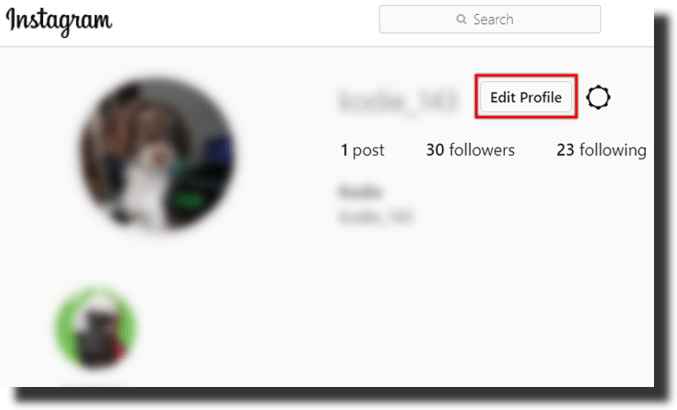
- Click Edit Profile
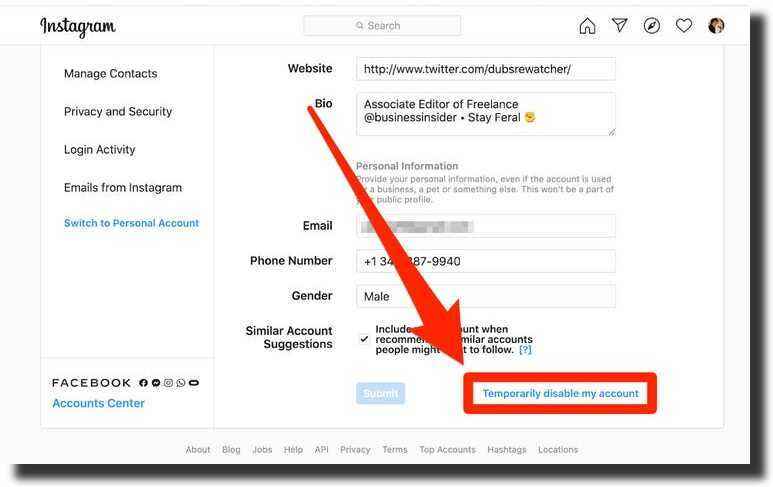
- Select Temporarily disable my account
- Choose a reason
- Re-enter your password
- Confirm deactivation
Instagram allows deactivation only once per week.
How to Permanently Delete Instagram Account
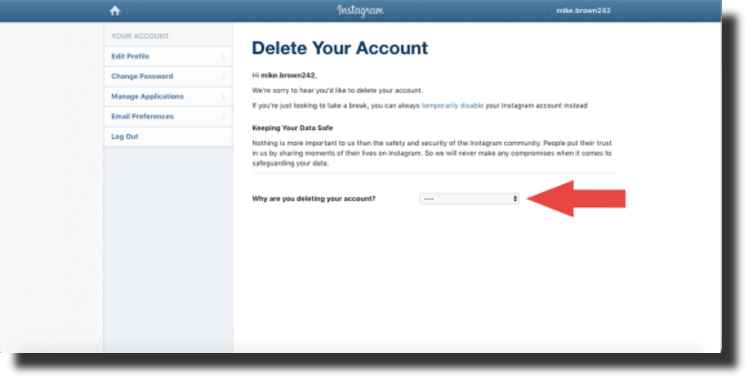
To permanently delete Instagram, follow these steps:
- Log in via a web browser
- Go to the Delete Your Account page
- Select a reason for leaving
- Enter your password
- Confirm permanent deletion
Download Your Instagram Data Before Deleting
Before deleting, download your data to keep photos, videos, and messages.
- Go to Settings
- Open Privacy & Security
- Click Request Download
- Enter your email
What Happens After You Delete Instagram?
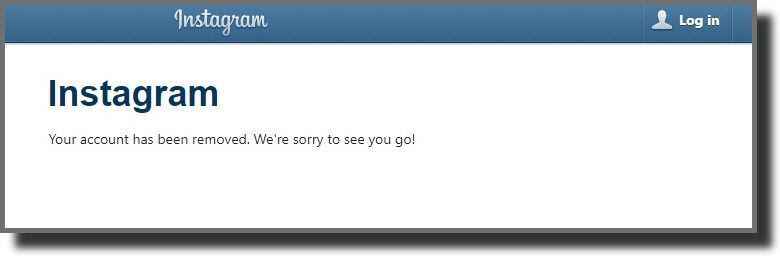
Your account enters a 30-day grace period. After that, all data is permanently erased. Some backups may take up to 90 days to fully disappear.
Protecting Your Privacy Beyond Instagram
Deleting Instagram is one step. Consider encrypting cloud backups and managing online reviews responsibly. Understanding review management and digital visibility helps maintain long-term privacy and reputation.
Delete Instagram Account FAQ:
1. Can I delete Instagram from the app?
No. Instagram does not allow permanent account deletion from the mobile app. You must log in through a web browser and complete the deletion process from Instagram’s official account deletion page.
2. Is deletion reversible?
No. Once the deletion process is fully completed, recovery is impossible. All account data is permanently removed and cannot be restored under any circumstances.
3. Can I reuse my username?
No. After an account is deleted, the username is permanently locked and cannot be reused by you or claimed by anyone else in the future.
4. How long does deletion take?
Your account enters a 30-day grace period after confirmation. If you do not log in during this time, deletion proceeds. Some internal backups may take up to 90 days to be fully removed.
5. Does Instagram keep backups?
Yes. Temporary backups may exist for legal, security, and technical reasons during the deletion process. These backups are not accessible to users or the public.
6. Can businesses delete Instagram safely?
Yes, but businesses should first ensure alternative communication channels are in place, such as a website, email list, or other social platforms, to avoid losing customer contact.
7. What if I change my mind?
If you log back into your account within the 30-day grace period, the deletion request will be automatically canceled and your account will be restored.
8. Will my messages disappear?
Yes. All direct messages, shared media, and conversation history are permanently removed once the deletion process is completed.
9. Can I create a new account later?
Yes. You can create a new Instagram account at any time, but you must use a different username and cannot recover previous data.
10. Is deactivation better than deletion?
If you are unsure or only want a temporary break, deactivation is the safer option. Deletion should be chosen only when you are confident you no longer want an Instagram account.
Tags: instagram, instagram delete account, instagram disable account