If you run a local business and you're not actively managing your reviews, you're handing customers to whoever is. That's not an exaggeration. Review signals account for roughly 16% of the weight Google uses to decide which businesses show up in the local pack, putting them on par with citations and directly behind your Google Business Profile signals. The gap between a business with 40 reviews and one with 180 isn't a matter of luck. It's a strategy.
This guide gives you a complete review management strategy: how to collect reviews consistently, how to respond in a way that actually converts readers, and how to measure whether any of it is improving your Google Maps position.
What Review Management Does to Your Google Maps Ranking
Before building a system, it helps to understand exactly how Google uses reviews. Four review signals carry the most weight in local rankings:
- Review count: More reviews signal broader activity and popularity. The jump from 0 to 10 moves the needle more than 100 to 110, but volume compounds over time.
- Average rating: Businesses in the top three local pack positions average 4.1 stars or higher, according to GatherUp's 2024 benchmark research. Anything below 4.0 creates a real visibility ceiling.
- Review recency: A 4.8-star profile with reviews from 2022 can be outranked by a 4.5-star competitor that gets three new reviews every week. Google weighs freshness heavily. Nearly three-quarters of consumers only consider reviews from the past three months.
- Response rate: Businesses that respond to more than 75% of their reviews receive about 12% more contact requests from their Google Business Profile than those with a response rate under 25%, according to Search Engine Land research. Google treats responses as an active engagement signal.
GTrack tip: Knowing which signals to improve is one thing. Seeing whether they're actually moving your position is another. Run a map ranking check across your service area to see exactly where you rank for your target keywords at every point on the map, not just a single average.
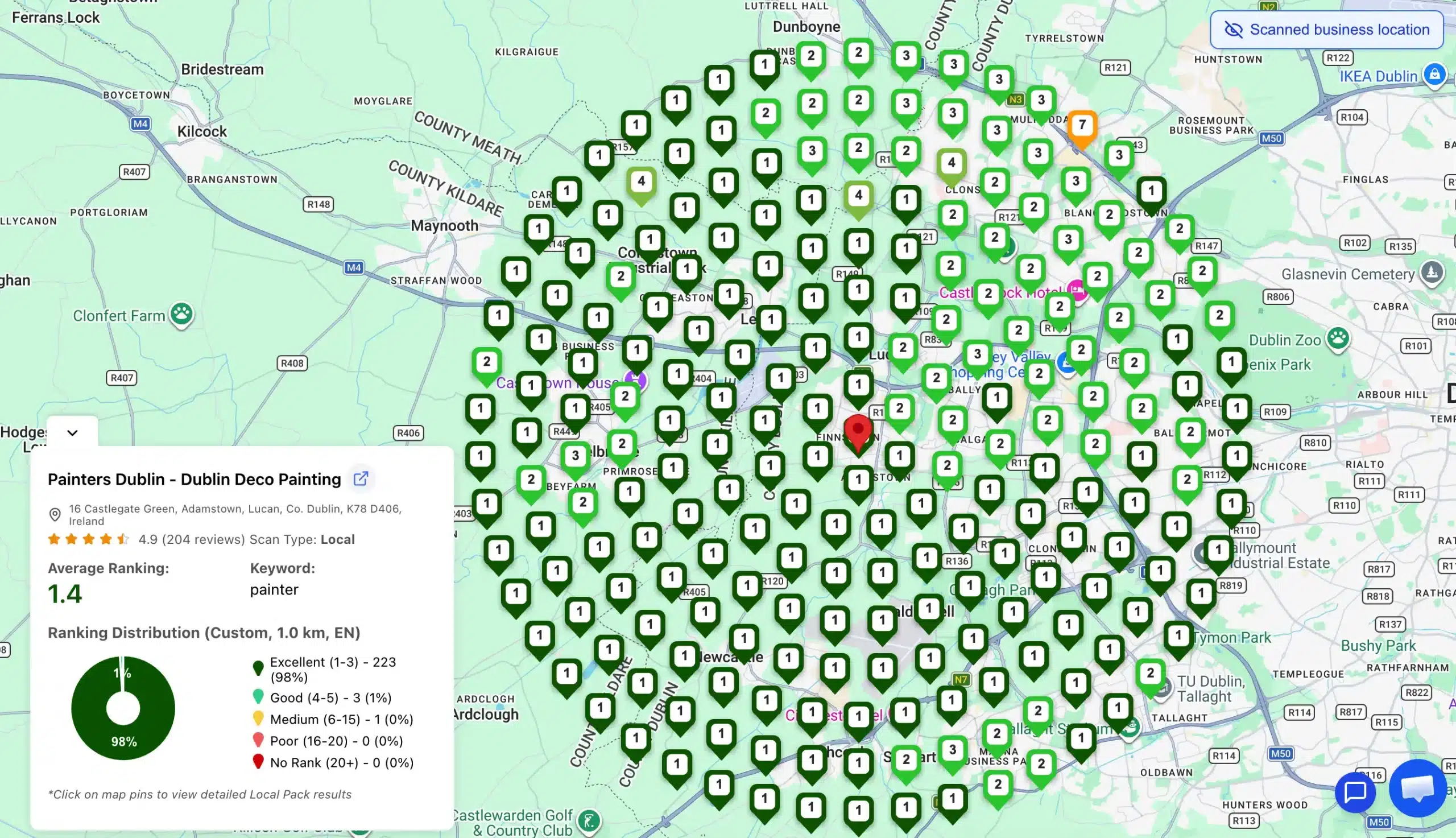
There's a fifth factor most guides skip: Google reads the text of your reviews, not just the stars. If customers repeatedly mention "emergency plumbing," "basement flooding," or "same-day repairs," those keywords reinforce the relevance of your listing for exactly those searches. Reviews write your local SEO content for you, if you're generating enough of them.
Step 1: Build a Steady Flow of Reviews
The single biggest mistake local businesses make is treating review collection as an occasional campaign instead of a daily habit. Sporadic spikes followed by silence actually hurt. Google's algorithm is built to detect unnatural patterns, and a burst of 20 reviews in one week followed by nothing for three months reads as suspicious activity.
You want review velocity: a predictable, consistent flow of new reviews every week. For most single-location businesses, five to ten new reviews per month is enough to outpace competitors in non-saturated markets. In competitive industries, you'll need more.
When to Ask
Timing matters more than wording. The highest-converting moment to request a review is within two to four hours of a positive interaction, while the experience is still fresh. Asking a week later drops response rates significantly. Build the ask into your workflow at the point of resolution, delivery, or checkout, not as a follow-up you hope to remember later.
How to Make It Easy
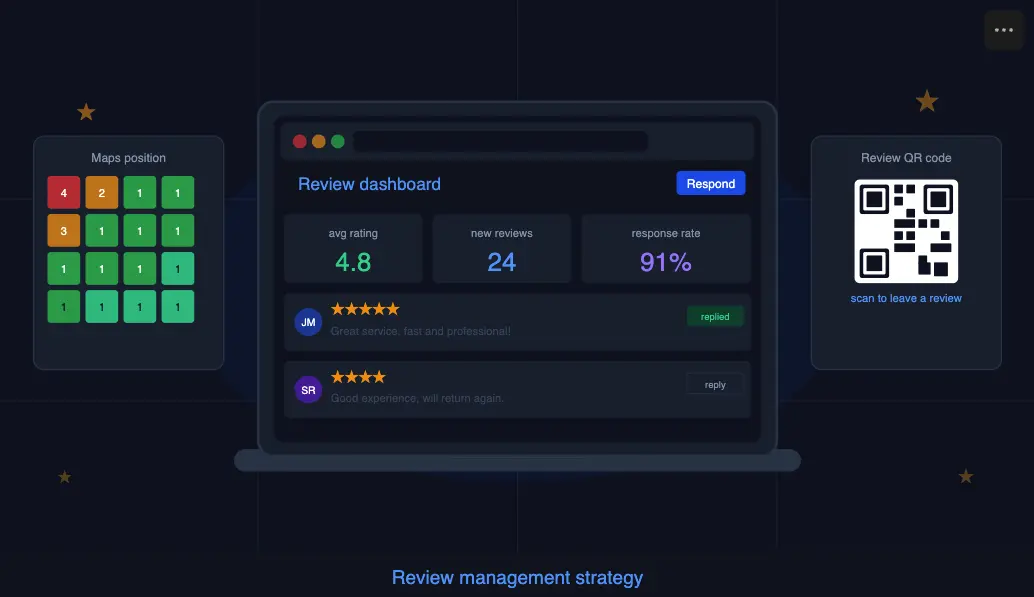
Customers who want to leave a review often give up because the process takes too long. Remove every step you can. A direct link to your Google review page eliminates the need for a search. A QR code on your receipt, invoice, or in-store signage prompts the phone to open immediately at the right moment. You can create a QR code that points straight to your review page and drop it on any receipt, invoice, or counter card.
Who to Ask
Ask everyone. Not just your obvious fans. You'll naturally get more responses from happier customers, which means the selection bias works in your favor when you ask broadly. Train your front-line staff to make the ask part of their closing routine. "If you're happy with today's service, a quick Google review helps us a lot" takes five seconds and compounds into real rankings over months.
Step 2: Respond to Every Review, Especially the Bad Ones
Forty-five percent of consumers say they're more likely to visit a business that responds constructively to a negative review than one that doesn't respond at all. That data point is worth sitting with. A well-handled 2-star review can be more persuasive than ten unchallenged 5-star reviews, because it shows prospective customers how you actually behave when something goes wrong.
Responding to Negative Reviews
The goal of a negative review response isn't to win the argument. It's to show the hundreds of people who will read that exchange that you're a business that takes problems seriously. Keep the response short, acknowledge the specific issue, and move the resolution offline. "We're sorry this happened, and we'd like to make it right. Please reach out to [contact] so we can discuss" does the job. Don't justify, don't deflect, don't get defensive.
Once the issue is resolved, you can follow up and ask the customer to update their review. Not every customer will, but some will, and a 1-star that becomes a 3-star is still a net improvement on your profile.
Responding to Positive Reviews
Generic "Thanks so much!" responses waste the opportunity. Google indexes response text. Use specific language that reflects the service or product the customer mentioned. If someone praises your "fast AC repair in Phoenix," a response that echoes "we're glad we could get your AC repaired quickly" reinforces your service category and location for local search.
Keep responses under 150 words. Vary the structure so they don't all read as templates. And respond within 24 hours where possible. Google's engagement signals favor active, timely profiles.
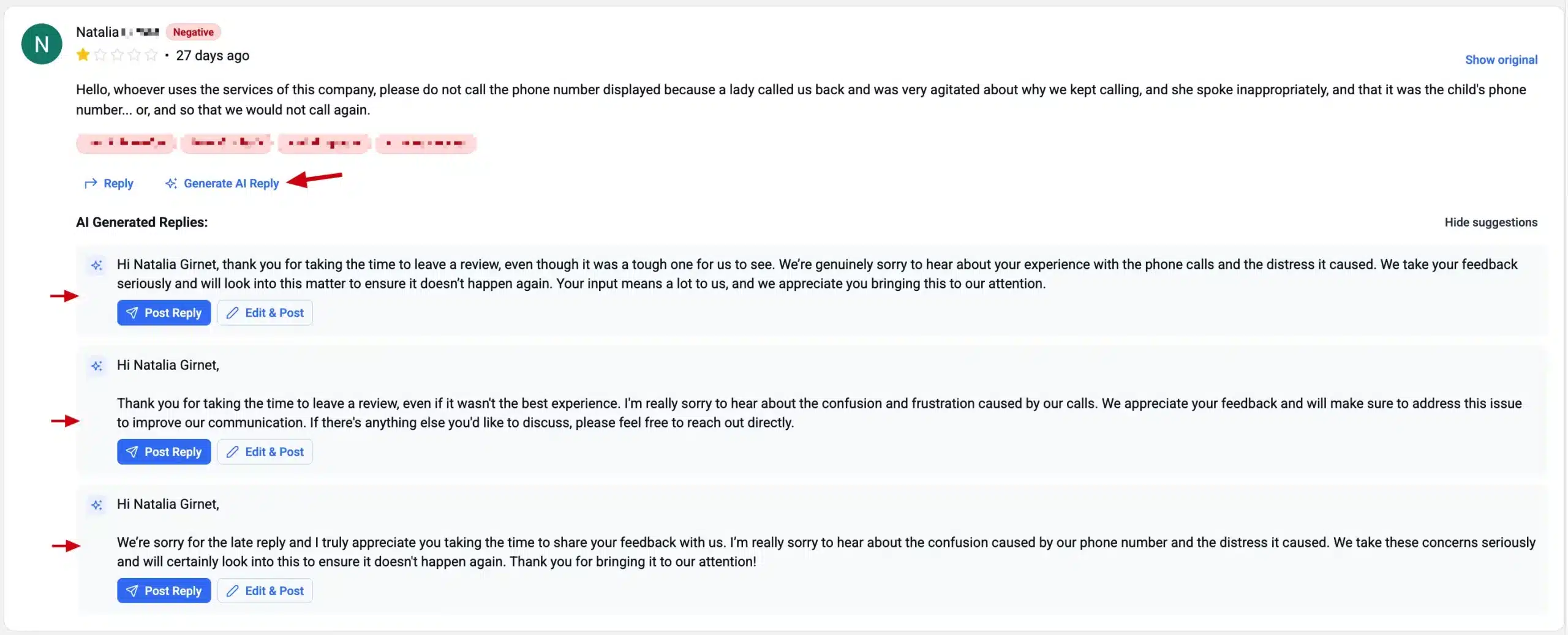
GLocal tip: If writing individual responses is slowing you down, you can generate AI-powered replies and publish them from one place, with responses that match your brand voice and pull the specific service details from each review. Response time drops from hours to minutes, even across multiple locations.
Step 3: Handle Fake and Malicious Reviews Correctly
Fake reviews are a real problem in 2026. Competitors occasionally post negative fake reviews. Some bad actors run paid services that plant them at scale. Half of consumers believe businesses are responsible for detecting them, according to BrightLocal's 2026 Local Consumer Review Survey.
Here's what you can actually do:
- Flag the review in Google Business Profile: Use the "Report review" option and document why it violates Google's policies (fake identity, no customer relationship, spam). Google won't always remove them, but flagging builds a record.
- Respond publicly to neutralize it: "We've reviewed our records and have no record of this customer visiting our business. We've reported this review to Google. We take feedback seriously when it comes from our actual customers." This response tells future readers exactly what's happening.
- Dilute with genuine reviews: The fastest way to minimize a fake 1-star is to generate five genuine 5-stars around it. A single bad review among 120 does almost nothing. The same review among 8 is visible from a mile away.
Step 4: Use Review Feedback as Business Intelligence
Most businesses read reviews to manage their reputation. Fewer read them to improve their operations. The ones that do have a structural advantage.
When the same complaint appears in five reviews across three months, that's not noise. It's a signal. The kitchen closes too early. The parking situation is genuinely confusing. The staff in one department doesn't match the standard set everywhere else. Reviews surface these patterns faster and more specifically than any internal survey you'll run.
Build a habit of reviewing feedback in aggregate, not just one by one. Look for recurring nouns and adjectives. "Slow," "wait," and "staff" in the same reviews point to one problem. "Clean," "professional," and "fast" in positive reviews tell you what you should be promoting.
You can also use competitor reviews to find service gaps. If customers consistently praise your competitor for "same-day availability" and your reviews are quiet on that point, that's your next service improvement, not just an SEO insight.
Step 5: Track Whether Your Review Management Is Actually Working
Most businesses put effort into review management strategy and have no idea whether it's moving their Google Maps ranking. They check their star rating, see it went from 4.3 to 4.5, and call it progress. But star rating alone doesn't tell you whether you're gaining visibility in the searches that bring customers through the door.
The metric that matters is where your business appears in local pack results for your target keywords, across your actual service area. Not your average ranking. Your ranking at specific GPS coordinates, across the neighborhoods and zip codes where your customers actually search.
A customer searching "emergency plumber" three miles north of your shop sees completely different results than someone searching the same phrase two miles south. If you're dominating one zone and invisible in another, your review management strategy should be concentrated where the gap is, but you can't see the gap without the right data.
Run a campaign and then check where you land across your service area on a local ranking map before and 60 days after. The comparison shows whether the new reviews and responses are translating into actual ranking movement, or whether something else is holding you back.
Review Management Strategy for Multi-Location Businesses
If you manage more than one location, review management complexity grows fast. Each location needs its own review profile, its own response cadence, and its own baseline of fresh reviews. A corporate office managing 12 franchises can't chase reviews manually across each Google Business Profile.
The practical solution is a centralized review management strategy with location-level controls. You need to see all incoming reviews in one feed, set response templates that can be personalized per location, and track collection velocity by location so you know which ones are falling behind.
Locations that go quiet, getting fewer than two new reviews per month, tend to slip in local rankings within three to four months. Catching that drift early, before it costs visible ranking positions, is the difference between proactive management and constant recovery.
| What to Track | Frequency | What to Act On |
|---|---|---|
| New reviews per location per month | Weekly | Any location below 3 new reviews needs outreach attention |
| Average star rating per location | Weekly | Anything trending below 4.2 needs investigation |
| Response rate | Weekly | Keep above 75% across all platforms |
| Google Maps position per keyword | Monthly | Identify zones losing ground before they drop below page 1 |
| Recurring complaints in the review text | Monthly | Escalate themes that appear in 3+ reviews to operations |
The Review Management Strategy That Compounds Over Time
Each piece of this system reinforces the others. More reviews improve your rankings. Better rankings bring more customers. More customers mean more review opportunities. Faster, more specific responses push response rates up, which adds another ranking signal. Monitoring your Maps position with local ranking data tells you whether the system is working or where it's breaking down.
The businesses that dominate their local pack in 2026 aren't running harder. They've built a loop that runs consistently and compounds over months. Getting that loop in place is the practical goal of review management strategy, not the star rating itself.
GLocal: If you want one place to handle review collection, AI-powered responses, and Google Business Profile performance across one location or a dozen, GLocal by Wiremo combines all of it in one dashboard, with 18 months of analytics and automatic review backup so your reputation data is never at risk.
Frequently Asked Questions About Review Management Strategy for Local Businesses
How many reviews does a local business need to rank in the Google Maps local pack?
There's no fixed number. It depends on your market and how many reviews your competitors have. In most mid-sized US cities, businesses in the top three local pack positions have between 80 and 250 reviews. In less competitive markets, 40 to 60 strong reviews can put you there. The key metric isn't your total count. It's your monthly review velocity relative to whoever is ranking above you.
Does responding to reviews actually affect Google rankings?
Yes, indirectly. Google treats review response activity as an engagement signal for your Google Business Profile. Research from Search Engine Land found that businesses with response rates above 75% receive roughly 12% more contact requests from their GBP listing. Google also indexes the text of your responses, so responses that naturally include service and location keywords reinforce your relevance for those searches.
Can I ask customers to change a negative review after resolving their issue?
You can ask, and it's worth doing. Google doesn't prohibit businesses from requesting review updates after resolving a complaint. Send a short follow-up message referencing the resolution and let the customer know their updated feedback matters to you. Some won't update. Others will, and the improvement is visible to future readers who can see both the original and the updated version.
How do I deal with a competitor leaving fake negative reviews?
Report the review through your Google Business Profile dashboard and document your case clearly. Respond publicly in a neutral, factual tone, stating you have no record of this customer's visit and that you've flagged the review. Then focus energy on generating genuine reviews to dilute the fake ones. Google's spam detection has improved significantly, and reviews from accounts with a thin history or unusual patterns do get removed, though not always quickly.
What's the difference between review management and reputation management?
Review management focuses specifically on collecting, monitoring, and responding to customer reviews on platforms like Google, Yelp, and industry-specific sites. Reputation management is broader. It covers search results, press mentions, social media presence, and how your business appears across the whole web. For most local businesses, review management is where to start because it's the most direct input to Google Maps rankings and customer conversion decisions.
How often should I check my Google Maps ranking?
Weekly is the right cadence for most businesses. Schedule your scan during your normal business hours, since Google's local algorithm factors in when your business is active and open. A consistent weekly scan at the same time gives you comparable data points week over week. If you've just run a review campaign or made a significant GBP change, run a follow-up scan 7 to 10 days later to get a clean read on whether the change moved the needle.
Is review management strategy worth it for a service-area business that doesn't have a physical storefront?
Yes, and often more so. Service-area businesses compete on trust signals more heavily than storefront businesses, because customers can't walk past and form a physical impression. For a plumber, electrician, or landscaper, your Google review profile is the primary trust signal a customer sees before calling. A strong, well-managed review profile is the closest thing you have to a storefront in local search.
Is there a way to backup Google reviews?
Yes, but not through Google itself. Google does not provide a native or easy way to export and backup your reviews, which means that if your Google Business Profile gets suspended, flagged, or experiences a technical issue, all those reviews can become inaccessible overnight with no straightforward way to recover them.
GLocal automatically backs up all your Google reviews so you always have a complete, recoverable record of your ratings, review text, and reviewer names, no matter what happens to your profile.
Tags: Google Business Profile, Google Maps ranking, Local SEO, online reviews, Review Management, review strategy